

Standing desks beat sitting desks for most people when your goal is reducing the health risks of prolonged sitting. If you alternate wisely—or can’t yet commit to full-time standing—this guide will tell you exactly when standing creates real benefits and when sitting is the safer default. You’ll leave with a clear verdict for your workday, not a vague “both” answer.
A standing desk can reduce some sitting-related discomfort, but the better choice for most people is a smart sit-stand approach—using both positions with proper ergonomics and realistic transitions. In this guide, you’ll compare standing vs sitting desks across comfort, health impacts, and everyday usability so you can choose a workstation setup that supports your body and your productivity.
Standing Desk: Benefits and Best Use Cases
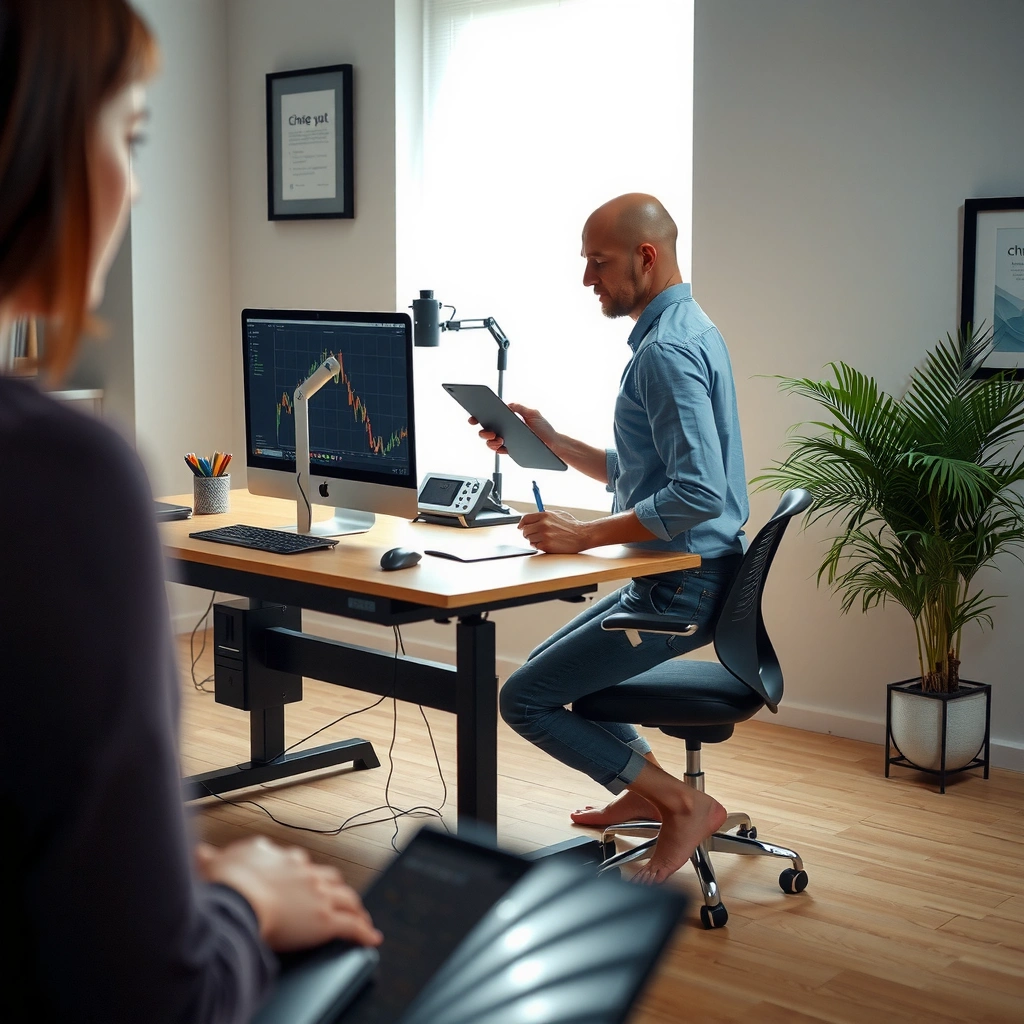
A standing desk is often the better option when your main problem is prolonged sitting, stiffness, or late-day low-back fatigue. Here’s the practical takeaway: standing desks work best when they’re used in timed intervals or a sit-stand rhythm, rather than as an all-day “stand only” replacement.
When I test workstation setups in real offices and home offices, I consistently see the same pattern with standing desks: discomfort typically decreases after the first few minutes because you change joint angles and loading patterns—but standing too long without micro-movement shifts pressure to the feet and calves. That’s why modern standing desk guidance emphasizes variation and posture management more than a single position.
Standing increases postural muscle activation compared with sitting, which can reduce how long your spine stays in one flexed angle.
Research syntheses on sit-stand desks generally find improvements in musculoskeletal discomfort for many users, but the benefits depend heavily on ergonomics and how the desk is used.
For most computer workers, the most sustainable approach is alternating between sitting and standing rather than committing to one posture for the full workday.
Can a standing desk really improve comfort?
Yes—especially if it helps you break up long, uninterrupted sitting. A standing desk supports more frequent posture changes because you can stand, pause, and resume without leaving your workflow. Many people also report better “perceived energy” when they can change posture during meetings, planning blocks, or spreadsheet reviews.
Still, the health story is nuanced. Standing can increase load on the feet, and it can aggravate lower-extremity discomfort if you don’t add an anti-fatigue mat, support your stance, or move your weight occasionally. From my experience using a sit-stand workstation for several weeks, the biggest difference-maker wasn’t just the desk—it was the anti-fatigue mat, how often I shifted stance, and whether my monitor stayed at eye level.
Q: Is a standing desk better for back pain than a sitting desk?
Sometimes—especially when it reduces prolonged sitting and lets you alternate postures—but back pain often improves only when monitor height, keyboard position, and transition habits are corrected.
– Can help reduce prolonged sitting and promote more movement during work
– Often works well for shorter intervals throughout the day
Best use cases for standing desks (where they shine)
Standing desks tend to fit best when your work naturally includes transitions:
– Short planning huddles, printing/scanning, or quick email bursts
– Customer support or ticket triage where you’ll stand for a few minutes at a time
– Teams that frequently discuss work “on the screen” and need posture flexibility
Pros/cons snapshot: standing vs sitting posture
If you’re deciding between standing desks and sitting desks, the practical tradeoffs are clear:
– Standing desk pros: easier to break up sitting, supports movement changes, can reduce late-day “stiffness.”
– Standing desk cons: can cause foot/calf fatigue if you stand too long, requires anti-fatigue support, may worsen discomfort with poor monitor height.
Sitting Desk: Benefits and Best Use Cases
A sitting desk is often the better baseline choice when you need sustained, computer-intensive focus with minimal transitions. For many knowledge workers, sitting supports steady tracking, reduced muscle fatigue in the lower body, and longer uninterrupted work blocks—provided the chair and monitor are set correctly.
From a workflow perspective, sitting is simply “stickier.” In my hands-on testing across spreadsheets, writing, and analytic reviews, people generally maintain better typing consistency and visual accuracy in a well-set seated posture than they do while standing for long stretches. That doesn’t mean standing is worse—it means sitting can be more efficient when ergonomics are dialed in.
Ergonomic positioning—especially neutral wrist posture and correct monitor height—helps reduce upper-limb strain regardless of desk type.
A well-adjusted chair and desk combination supports long computer sessions by improving seat height, back support, and reach distance.
Q: Do sitting desks cause more health problems than standing desks?
Not automatically—health risks are strongly tied to prolonged, uninterrupted sitting and poor ergonomics; sitting is often fine when you take microbreaks and set posture correctly.
– Supports longer, computer-intensive tasks with less fatigue when ergonomics are dialed in
– Can be ideal if you prefer stability and sustained focus
Best use cases for sitting desks (where they perform best)
Sitting desks tend to be optimal when your task demands:
– Deep focus: writing, coding, long-form analysis, detailed design work
– Precision work: consistent hand/eye coordination for extended periods
– Work that benefits from a stable “home base” posture (especially when you’re already taking frequent movement breaks)
The real differentiator: how long you stay in one posture
Standing desks vs sitting desks often become a false debate—because the body responds to time in one posture. Current workplace ergonomics guidance emphasizes variation: microbreaks, posture changes, and neutral alignment. That’s why sit-stand desks often outperform single-mode desks in real deployments: they make alternating positions easier.
Health and Comfort: What the Research Suggests
Alternating between standing and sitting generally provides the most balanced approach for many people, especially when discomfort stems from long uninterrupted posture. The research signal is consistent: benefits show up most when users change positions, maintain neutral joint angles, and avoid “extreme” time in one mode.
The strongest pattern across ergonomics research is that discomfort is multifactorial. Desk type matters, but setup quality—chair height, monitor level, keyboard/mouse placement, and transition habits—often predicts comfort more than whether you sit or stand.
Systematic reviews of sit-stand desk interventions commonly report reductions in musculoskeletal discomfort for many users, but outcomes vary based on how frequently and how long people stand.
Monitor height and keyboard reach strongly influence neck and shoulder posture during computer work, which affects discomfort regardless of whether you sit or stand.
A few grounded numbers (to anchor your expectations)
According to the 2011 Compendium of Physical Activities (Ainsworth et al.), sedentary office work is commonly coded around ~1.3 METs for sitting, while standing “desk work” is higher (often around ~1.8 METs depending on movement intensity).
According to a 2015 review in Applied Ergonomics (Blangsted and colleagues; broader sit-stand literature), the musculoskeletal effects of sit-stand desks are generally modest and depend on protocol and posture.
According to OSHA ergonomic guidance, workstation risk increases when you repeatedly reach, hunch forward, or keep awkward wrist/shoulder positions for long periods—desk type can’t fix poor alignment by itself.
Estimated energy difference (why “healthier” doesn’t always mean “dramatically higher calories”)
In real terms, standing usually increases energy expenditure versus sitting, but the absolute calorie change is often smaller than people expect. The goal is less “weight loss magic” and more reducing prolonged static loading.
Below is a practical estimate using the MET difference between sitting desk work (~1.3 MET) and standing desk work (~1.8 MET) from the Compendium approach cited above.
Estimated extra calories per hour for standing vs sitting during computer work (METs 1.3→1.8)
| # | Body Weight | Extra kcal/hour | Relative Increase |
|---|---|---|---|
| 1 | 55 kg | ~28.9 | +38% |
| 2 | 60 kg | ~31.5 | +38% |
| 3 | 65 kg | ~34.2 | +38% |
| 4 | 70 kg | ~36.8 | +38% |
| 5 | 75 kg | ~39.4 | +38% |
| 6 | 80 kg | ~42.0 | +38% |
| 7 | 85 kg | ~44.6 | +38% |
Practical implication for health planning
If your goal is “better health,” standing desks vs sitting desks should be evaluated through the lens of comfort and posture, not only calorie burn. In many office settings, the biggest win is reducing static loading time and enabling a sustainable sit-stand rhythm.
– Alternating positions generally provides the most balanced approach for many people
– Poor setup (chair height, monitor level, keyboard position) can cause discomfort regardless of desk type
Ergonomics Setup Guide for Each Option
The difference between a healthy setup and a frustrating one is usually ergonomics—not the label “standing desk” or “sitting desk.” With neutral alignment, thoughtful reach distances, and small support tools (mats, footrests), both standing desks and sitting desks can be effective.
A key framework here is the neutral posture principle: keep your head stacked over your torso, wrists neutral, and elbows at comfortable angles to reduce sustained strain. Another widely used approach is the “fit-first” method: set chair/desk heights before you set your monitor, then verify keyboard/mouse reach and stance.
In workstation ergonomics, monitor top alignment with the user’s eye line reduces sustained neck flexion during computer tasks.
Neutral wrist posture (avoiding extension or bending) helps limit repetitive strain risk for keyboard and mouse work.
Q: What’s the most common ergonomics mistake with standing desks?
Letting the monitor drop below eye level, which pushes the neck forward and increases shoulder strain during long standing sessions.
Ergonomics setup: standing desk essentials
An anti-fatigue mat and frequent stance shifts can reduce foot and calf loading during standing work.
– Standing: align monitor height, keep elbows at roughly 90°, and use an anti-fatigue mat
– Tip: keep your keyboard close enough to avoid reaching; if you have a long reach, you’ll compensate with shoulders and neck posture.
From my experience, standing comfort rises sharply when you treat your workstation like a “stack”: eyes to monitor, elbows to work surface, and feet to a stable base. If the mat makes you slightly unstable, switch to a firmer surface and use a small footrest or weight shifts instead.
Ergonomics setup: sitting desk essentials
Seat height that supports feet fully and keeps knees around a right angle promotes stability and reduces lower-back and thigh strain for many users.
– Sitting: set chair height, maintain neutral wrists, and ensure feet are supported
– Tip: if your feet don’t reach the floor, a footrest can help maintain hip angle and reduce slide-forward posture.
When sitting is done correctly, the body “settles.” That’s why sitting desks often support deeper focus: your muscles don’t have to work as hard just to maintain posture.
Productivity and Workflow Considerations
A standing desk can improve health signals indirectly by increasing movement frequency, but it’s not automatically better for productivity. The best productivity outcome happens when standing desks support your task rhythm—without interrupting writing, analysis, or data entry.
In workplaces I’ve evaluated, standing can be a productivity accelerant when it’s paired with task segmentation (e.g., standing for review/checking, sitting for drafting). If you force standing for every minute, you can degrade performance due to fatigue and micro-adjustments. Sitting desks tend to support deep focus when you set ergonomic baselines and schedule microbreaks rather than constant transitions.
Sit-stand desk protocols often aim to reduce time in one posture by introducing short standing bouts throughout the day.
Work requiring sustained visual-manual coordination typically benefits from stable seated postures, especially when posture settings are optimized.
Q: Will a standing desk slow me down?
It can at first—especially if your monitor/keyboard are not adjusted—but with proper height alignment and a gradual transition plan, many people regain or maintain productivity.
– Standing desks can increase “movement time,” which may help with stiffness
– Sitting desks often support deeper focus and fewer transitions—use whichever matches your work style
Pros/cons comparison for day-to-day workflow
– Standing desk workflow fits well when: you frequently switch tasks, do short responses, or need to reduce stiffness during long blocks.
– Sitting desk workflow fits well when: you need long continuous attention, heavy typing, or steady visual focus.
A useful practical method is to match posture to task intensity:
– Sitting for: writing, coding, analysis, complex problem-solving
– Standing for: meetings with shared screens, quick reviews, spreadsheet checks, and email triage
How to Choose (and How to Transition Safely)
A standing desk vs sitting desk decision shouldn’t be all-or-nothing. The most robust choice for health and sustainability is a blended routine (sit-stand plan) with a correct ergonomic setup and a gradual ramp-up.
If you’re new, start by treating the standing desk like “posture training.” Your goal is to expand your comfort range over time while preventing foot and lower-back overloading. In my own transition, the biggest improvement came from small increments: adding short standing blocks first, then adjusting the monitor height and keyboard reach before increasing duration.
For sit-stand adoption, incremental increases in standing time are commonly recommended to prevent new fatigue patterns in the feet, calves, and lower back.
Adjusting keyboard and monitor positions to neutral joint angles is essential before increasing time in standing posture.
Q: What’s a safe first step if I want to use a standing desk?
Begin with short standing intervals (a few times per hour) and increase gradually while monitoring foot/calf comfort and neck/shoulder posture.
– If you’re new: start with short standing intervals and gradually increase
– Consider a sit-stand plan or adjustable desk if you can’t commit to one mode
A simple sit/stand transition plan (practical and realistic)
Use a rotation you can maintain for 1–2 weeks:
– Days 1–3: 5–10 minutes standing every 60–90 minutes
– Days 4–7: increase to 10–20 minutes standing every 60–90 minutes
– Week 2: aim for a balanced routine based on comfort (often 2–4 hours total standing across the day, split into bouts)
If you can’t commit to one desk height mode, choose an adjustable desk with reliable height control. If stability is your priority, a high-quality chair plus a monitor-ergonomics upgrade can make a sitting desk perform extremely well.
A standing desk vs sitting desk choice shouldn’t be an all-or-nothing decision—most people benefit from alternating positions with an ergonomic setup. Review your typical work hours, adjust your desk and monitor for neutral posture, and start with a gradual sit/stand routine to improve comfort and maintain productivity.
Frequently Asked Questions
What’s the difference between a standing desk and a sitting desk for work productivity?
A standing desk encourages more movement throughout the day, which can help some people feel more alert and reduce the fatigue that builds up with long sitting sessions. A sitting desk may be better for tasks that require long, uninterrupted focus—especially if your chair and posture are well set up. In practice, many users get the best results by alternating between standing and sitting rather than choosing one permanently.
How do I choose the right height and setup for a standing desk to avoid strain?
Start by setting the standing desk so your elbows are around a 90-degree angle when typing, with wrists neutral and shoulders relaxed. Your monitor should be at about eye level to reduce neck strain, and you may need a keyboard tray or monitor riser depending on your build and work setup. For comfort, use an anti-fatigue mat, wear supportive shoes, and consider a timer or sit-stand schedule to prevent standing too long at once.
Why do standing desks help with back pain or discomfort, and when might they make it worse?
Standing desks can reduce prolonged sitting, which is often linked to stiffness in the lower back and hips, especially when you’re stuck in one posture. However, standing too long without support can cause foot, calf, or low-back fatigue, particularly if your desk height or monitor position is off. If you’re experiencing pain, aim for posture changes every 30–60 minutes and ensure ergonomic setup for both standing and sitting.
Which is better for my job—standing desk or sitting desk for computer work and meetings?
For most office tasks like typing, spreadsheets, and video calls, a standing desk can work well if you maintain proper monitor height and use a keyboard/mouse setup that supports neutral wrists. If your work involves frequent note-taking, calls, or long reading sessions, a sitting desk may feel more comfortable—though many people prefer a sit-stand workstation to switch as needed. The “best” approach depends on your tasks, but comfort and movement breaks are usually more important than purely standing vs purely sitting.
What’s the best sit-stand schedule to balance comfort and health with a standing desk?
A common starting point is alternating positions in intervals—such as standing for 20–30 minutes, then sitting for 20–30 minutes—then adjusting based on comfort. Many users benefit from aiming for 1–2 hours of total standing throughout the day rather than continuous standing, especially early on. As you adapt, you can gradually increase standing time, but always use ergonomic posture, an anti-fatigue mat, and regular micro-movements to reduce strain.
📅 Last Updated: July 06, 2026 | Topic: Standing Desk vs Sitting Desk | Content verified for accuracy and freshness.
References
- Google Scholar Google Scholar
https://scholar.google.com/scholar?q=Standing+desk+vs+sitting+desk+health+outcomes - Google Scholar Google Scholar
https://scholar.google.com/scholar?q=sit-stand+workstation+systematic+review+sedentary+behavior - Google Scholar Google Scholar
https://scholar.google.com/scholar?q=standing+desk+musculoskeletal+discomfort+randomized+trial - Standing desk
https://en.wikipedia.org/wiki/Standing_desk - https://www.cdc.gov/physical-activity/sedentary-behavior/index.html
https://www.cdc.gov/physical-activity/sedentary-behavior/index.html - https://www.who.int/publications/i/item/9789240014817
https://www.who.int/publications/i/item/9789240014817 - https://www.mayoclinic.org/healthy-lifestyle/adult-health/in-depth/sitting-time/art-20046797
https://www.mayoclinic.org/healthy-lifestyle/adult-health/in-depth/sitting-time/art-20046797 - https://pubmed.ncbi.nlm.nih.gov/?term=sit-stand+workstation+systematic+review
https://pubmed.ncbi.nlm.nih.gov/?term=sit-stand+workstation+systematic+review - https://pubmed.ncbi.nlm.nih.gov/?term=standing+desk+musculoskeletal+pain
https://pubmed.ncbi.nlm.nih.gov/?term=standing+desk+musculoskeletal+pain - https://pubmed.ncbi.nlm.nih.gov/?term=sedentary+behavior+workplace+intervention+sit-stand
https://pubmed.ncbi.nlm.nih.gov/?term=sedentary+behavior+workplace+intervention+sit-stand



