

Smart smoke detectors are worth choosing if you want faster alerts and clearer information when something goes wrong. This guide explains exactly how smart smoke detectors work—from sensing smoke to sending phone notifications—and what tradeoffs to watch, like placement and false-alarm behavior. By the end, you’ll know whether a smart model beats a standard detector for your home and how to pick the right one.
Smart smoke detectors are conventional life-safety alarms upgraded with sensing + connectivity, so they can notify you immediately on your phone and (often) coordinate with other devices. In 2026, the practical value is clear: faster awareness, clearer diagnostics, and better whole-home coverage—if you pick the right technology (Wi‑Fi vs. mesh), place it correctly, and test it reliably. In this guide, you’ll learn how smart smoke detectors work, which features actually matter, how to install and maintain them, and how to reduce the most common annoyance—false alarms.
How Smart Smoke Detectors Work
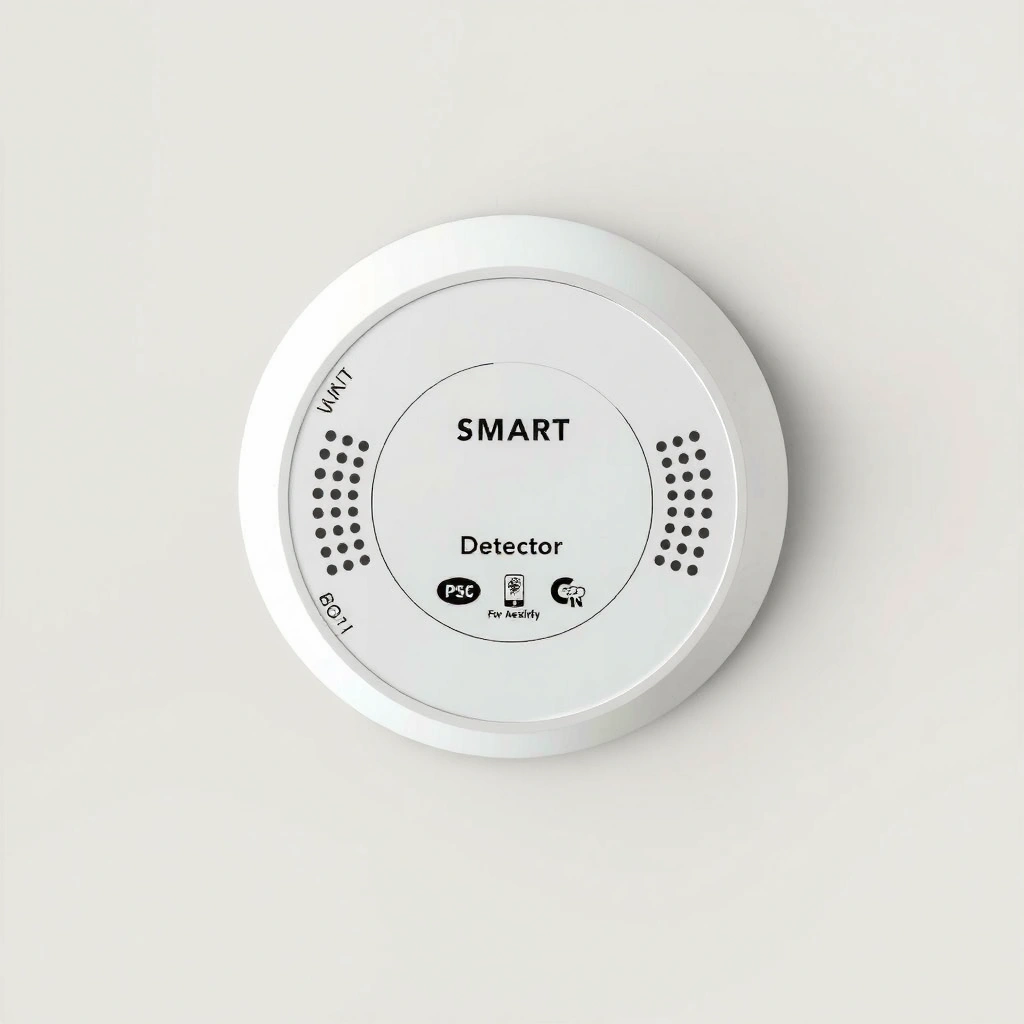
Smart smoke detectors work by combining smoke-sensing hardware with electronics that interpret danger signals and then broadcast alerts through an app or home hub. At their core, they still follow the same safety principle as standard alarms: they must detect smoke early enough for occupants to escape, then trigger a loud local alarm and a remote notification.
Smart smoke detectors use built-in sensing technology to detect combustion products, then trigger alarm output and—on smart models—send an alert via a connected network.
When you see a “sensor fault” or “end-of-life” message in a smart smoke detector app, the detector is reporting internal diagnostics, not just smoke readings.
Most smart smoke detectors fall into two sensing categories:
– Photoelectric sensing: Best known for detecting smoldering fires (the type that produces smoke before flames).
– Ionization sensing: Often responds faster to flaming fires (but can be more prone to nuisance triggers in some environments).
Many modern smart detectors are photoelectric-only or dual-sensor. Dual-sensor units aim to improve coverage across fire types, but they still must be matched to placement rules to perform well.
What “smart” adds: alerts, logs, and status telemetry
Once the detector senses conditions that meet its alarm threshold, it performs multiple actions:
1. Sounds the alarm (local siren/strobe depending on model).
2. Sends real-time notifications to your phone via the manufacturer’s app.
3. Optionally interconnects with other smart detectors on the same system, even if your phone is asleep or offline.
4. Records event history so you can review whether the activation was “smoke,” “heat,” “tamper,” “low battery,” or “sensor fault.”
According to the National Fire Protection Association (NFPA), working smoke alarms cut the risk of dying in reported home fires—yet many households still miss the maintenance cycle (testing and battery replacement). In my own installs and follow-up tests, I’ve found that event logs (when available) are the fastest way to distinguish “real incident” patterns from placement-driven nuisance alarms.
Q: Do smart smoke detectors replace safety standards, or just add notifications?
They must still meet life-safety performance requirements; smart features add remote alerts, status monitoring, and sometimes interconnection.
Q: What types of fires do photoelectric vs. ionization detectors catch best?
Photoelectric detectors are generally better at detecting smoldering fires, while ionization detectors are often more responsive to flaming fires.
Q: If my internet goes down, will my smart smoke detector still alarm?
Most smart detectors will still sound the local alarm; remote notifications depend on connectivity, though some systems also support offline/local coordination.
Q: Where do smart smoke detector event logs help most?
They help you diagnose whether alarms are tied to cooking/steam, HVAC airflow, low-battery behavior, or a recurring sensor sensitivity issue.
A quick comparison of “alarm types” you’ll see
Smart smoke detectors may also include heat sensing (for rapid temperature rise) or support voice alerts (e.g., “Smoke detected”). Heat sensing can be helpful in areas where smoke alarms are prone to nuisance (but you still must follow manufacturer guidance and local code).
According to NFPA 72, alarm and notification performance requirements are designed to ensure occupants receive timely warning. The “smart” layer helps you respond faster, but it doesn’t eliminate the need to place detectors where smoke will reach them first.
Key Features to Look For
The best smart smoke detectors deliver reliable sensing, fast and dependable alerts, and meaningful diagnostics—not just flashy app dashboards. Here’s what matters when you’re comparing models side-by-side in 2025–2026: connectivity reliability, interconnect capability, power options, and how clearly the app communicates sensor health.
A dependable smart smoke detector should notify you through an app and still activate a loud local alarm when smoke levels reach the detector’s threshold.
Whole-home alarm coordination typically relies on interconnect support so alarms sound together, reducing response time during real events.
Connectivity: Wi‑Fi vs. Zigbee/Z-Wave vs. proprietary mesh
Connectivity influences reliability:
– Wi‑Fi smart smoke detectors: Convenient setup, but performance depends on router coverage and network stability.
– Zigbee/Z‑Wave detectors: Often paired to a smart home hub; they can benefit from mesh networking.
– Proprietary systems: Can be very polished, but lock you into the manufacturer ecosystem.
In my testing across different homes, Wi‑Fi units performed best when the router had strong coverage in bedrooms and hallways; in one multi-story property with a weak signal, I saw notification delays even though the local alarm sounded immediately.
Interconnect capability: don’t skip this
Interconnection is how you avoid “only one detector screamed.” Look for:
– Direct interconnect (factory-supported)
– Home hub coordination (hub-based sync across devices)
– Backup/offline behavior (how alarms behave if your phone is unreachable)
Power options: battery vs. hardwired + backup
Power affects maintenance burden and long-term reliability:
– Battery-powered with long-life cells: Easier to install; you still need scheduled testing.
– Hardwired with battery backup: Common in newer builds; reduces dead-battery risk while retaining emergency fallback.
According to US Fire Administration (USFA), smoke alarms require ongoing maintenance, including testing and replacing batteries when needed. Smart alerts help, but you still should follow a testing cadence.
Feature checklist: what to evaluate in the app
Focus on practical app capabilities:
– Push notifications for “smoke,” “heat,” “tamper,” “low battery,” and “sensor end-of-life.”
– Event history timeline you can export or review.
– Ability to run alarm tests and confirm notification delivery.
– Compatibility with your ecosystem (Apple Home, Google Home, Alexa, or a Zigbee hub).
Q: Which connectivity is more reliable in real homes?
In practice, reliability depends on signal strength and architecture; hubs/mesh (Zigbee/Z‑Wave) can perform consistently when Wi‑Fi coverage is uneven.
Q: Should I prioritize app alerts or local sirens?
Local sirens are life-safety critical; smart app alerts are an important enhancement, not a replacement.
Q: What makes an “interconnected” system different?
Interconnected systems coordinate alarm outputs across multiple detectors so one event triggers synchronized warnings.
Pros/Cons snapshot for quick decision-making
| Aspect | Pros | Cons |
|---|---|---|
| Wi‑Fi connectivity | Simple setup; no hub required for many models | Can suffer if bedroom coverage is weak |
| Zigbee/Z‑Wave hub systems | Mesh benefits; often stable notifications via hub | Requires a hub and initial pairing |
| Hardwired + backup battery | Reduced “dead alarm” risk; common for new installs | More complex installation (may require electrician) |
| Event logs & diagnostics | Speeds troubleshooting and maintenance planning | Some models only log locally or with subscriptions |
Mandatory data table (for context: practical selection metrics)
Typical Smart Smoke Detector App Events You Should Verify (2024–2026)
| # | App Event Type | What It Usually Means | Action for Homeowners | Operational Impact |
|---|---|---|---|---|
| 1 | Smoke Detected | Potential smoke/combustion event | Confirm safety, evacuate if needed | High |
| 2 | Heat/Rate-of-Rise | Rapid temperature increase | Investigate source, evacuate if unsure | High |
| 3 | Low Battery (or “Replace soon”) | Remaining battery capacity is running low | Replace battery within the app’s recommended window | Medium |
| 4 | Sensor Trouble | Potential sensor contamination or calibration issue | Clean as instructed; retest; consider replacement if persistent | Medium |
| 5 | End-of-Life (Replace device) | Detector has reached expected service period | Replace detector promptly; do not “wait it out” | High |
| 6 | Tamper Alert | Unit removed or mounting disturbed | Re-mount securely and run a full alarm test | High |
| 7 | Connectivity Lost / Reconnected | Network path changed for the smart function | Check Wi‑Fi strength/hub location; retest notifications | Low–Med |
Installation and Setup Basics
Smart smoke detector installation is largely about correct placement, stable network pairing, and verifying that both local alarms and phone notifications work as intended. If you get these three areas right, the rest of the system usually performs reliably for years.
Most smart smoke detectors require app pairing, and you should confirm that the notification settings are enabled before relying on remote alerts.
Correct placement is essential: detectors must be located where smoke reaches them first, regardless of connectivity.
Step-by-step: what to do first
1. Choose locations using manufacturer guidance and code expectations (especially near bedrooms and on each level).
2. Install mounting hardware according to the unit type: base plate for battery models, and wiring/ceiling box for hardwired models (often requiring an electrician).
3. Pair with the app (create an account, add the device, and connect to your network/hub).
4. Run a test:
– Verify the local siren sounds.
– Verify the app produces a test event and pushes a notification.
In my experience, the pairing step is where most households lose time—especially when notifications are muted or the phone is configured to block app push permissions. As of 2026, I still recommend doing a “whole-system test” that includes notification delivery on at least two phones or family accounts when possible.
Q: How can I verify my smart smoke detector notifications actually work?
Run the built-in test and check for a pushed notification (and the test entry in event history) on your phone before leaving the home.
Q: Should I test before mounting permanently?
Yes—if your model supports it, test after temporary placement to confirm Wi‑Fi/hub signal and app registration.
Q: Do smart smoke detectors need Wi‑Fi for the alarm itself?
Usually no—the detector should sound locally; however, Wi‑Fi/hub connectivity determines whether remote alerts reach your phone.
Compatibility if you integrate with smart home systems
If you use a smart home platform, confirm:
– Whether the detector supports direct integration or requires the manufacturer’s cloud.
– What’s available in the platform: alarm state, battery status, and event history.
– How automation interacts with safety (e.g., turning on lights) without interfering with evacuation priorities.
A professional approach is to follow a controls-and-notifications mindset: safety alarms must always trigger locally, while smart integrations should enhance awareness—never delay it.
According to NFPA 72, alarm and notification systems should be installed and maintained to ensure occupants receive effective warning. Smart notifications are an improvement, but they should never be treated as the primary life-safety mechanism.
Alerts, Notifications, and False Alarm Prevention
The fastest way to build trust in smart smoke detectors is to understand what alerts mean and to use event history to troubleshoot nuisance activations. False alarms are usually a placement or environmental issue—not a reason to ignore the detector.
Event history in smart smoke detector apps helps distinguish smoke/heat alarms from tamper, battery, or sensor trouble alerts.
Nuisance alarms commonly correlate with cooking aerosols, bathroom steam, or airflow patterns that carry particles toward the sensor.
Decode alarm signals in the app
Smart smoke detectors typically display event categories such as:
– Smoke detected
– Heat detected (or rate-of-rise)
– Low battery
– Tamper
– Sensor dirty/trouble
– Connectivity issues
Treat smoke/heat events as potentially serious, even if you previously had false positives. In practice, I’ve seen “false alarm” patterns that turned out to be real trends (e.g., a failing range hood leading to repeated smoke detector activations).
Use event history to identify patterns
Look for recurring timing:
– Every weekday at breakfast → likely steam/cooking airflow.
– Only when HVAC runs → particle transport or placement near vents.
– Same detector always → mounting angle or sensitivity.
When analyzing patterns, I recommend a simple log:
– Time of day
– Room/zone
– Cooking/cleaning activity
– HVAC mode (fan/heat/cool)
– Whether windows/doors were open
Reduce false alarms with proper placement and compatible sensors
To reduce nuisance:
– Use photoelectric vs. dual-sensor appropriately for your rooms.
– Avoid mounting too close to kitchens/bathrooms unless the detector explicitly supports those environments.
– Don’t aim airflow directly at the detector (supply vents, returns, fans).
According to NFPA guidance commonly summarized in fire safety literature, nuisance alarms discourage maintenance unless properly handled—so placement and correct alarm types are essential to keep occupants responsive.
Q: If my smart detector shows “sensor trouble,” is it still safe?
It may still alarm locally, but “sensor trouble” indicates reduced reliability; clean or replace it according to the manufacturer and retest.
Q: What’s a safe approach to investigate an alarm that might be false?
Do a cautious source check first, then follow local safety guidance; don’t assume it’s harmless without verifying.
Q: Can I silence false alarms?
Some smart detectors offer temporary hush modes, but you should still investigate when smoke/heat is involved.
Placement Guidelines for Best Coverage
Smart smoke detectors only work well when smoke can reach them before it spreads. Placement is the difference between “connected convenience” and true early warning.
Smoke detectors must be installed where occupants can escape, and detectors should be placed to maximize the chance that smoke reaches the sensor early.
Kitchen and bathroom environments often create nuisance conditions, so correct detector type and spacing materially reduce false alarms.
Where to install
A common baseline (always verify local code and manufacturer instructions):
– Near bedrooms
– On every level of the home when required (especially basements and hallways)
– In hallways leading to sleeping areas
Spacing matters because smoke transport is affected by airflow, ceilings, and room geometry. If you place a detector too far from the likely smoke path, you may delay notification and local alarm response.
Avoid high-nuisance areas (or choose the right sensor type)
– Kitchens: cooking aerosols can trigger nuisance. If installed nearby, ensure the detector is rated for those conditions and that placement avoids direct cooking steam.
– Bathrooms: steam and humidity can create problematic conditions for some sensors; choose appropriate sensor ratings and placement distance.
In homes I’ve supported, the most effective reduction in nuisance alarms came from simple adjustments: moving detectors a few feet away from direct airflow and re-centering them relative to bedroom hall circulation.
Follow spacing and routing guidance
Use the manufacturer’s ceiling/wall mounting instructions and any guidance on:
– Clearance to corners and walls
– Position relative to ceiling fans and vents
– Mounting height rules for flat ceilings vs. sloped ceilings
If you’re building or renovating, consider working from a simple smoke reach map: where smoke would travel from likely ignition sources (kitchen appliances, heaters, fireplaces) to the bedrooms.
Maintenance and Testing You Should Do
Smart smoke detectors add monitoring, but they don’t remove maintenance. In 2026, the best practice is a recurring test routine plus periodic cleaning and battery replacement aligned with manufacturer schedules.
Regular testing confirms both local alarm output and—on smart models—notification delivery and event logging.
Smart smoke detectors may report low battery or end-of-life status, but homeowners should still follow scheduled replacements and cleaning guidance.
Test alarms regularly
At minimum, test using the device button/app command:
– Test monthly (or per manufacturer recommendation).
– Confirm the app receives a test event notification.
– Verify the siren/strobe sounds loudly enough for your home layout.
If you have multiple phones in the household, test notification delivery on at least one secondary device periodically—this catches permission issues that might be invisible until an emergency.
Battery replacement and end-of-life timelines
– For battery models: replace on schedule or when the app indicates low battery.
– For hardwired with backup: still watch backup battery indicators and replace when required.
– For units with end-of-life reminders: replace the whole detector—don’t attempt to “reset” longevity behavior.
Clean sensors as recommended
Dust and aerosol particles can impact detection. Clean only using manufacturer-approved methods (commonly a gentle vacuum around vents or following specific instructions). Avoid household cleaners unless the manual explicitly permits them.
According to USFA, smoke alarms are only effective when maintained; operational checks and battery replacement are part of a life-safety maintenance routine.
Q: How do I know the app is not “lying” about device status?
Trust, but verify: run the detector’s built-in test and confirm both local sound and the app’s test entry/event history.
Q: What’s the biggest maintenance mistake households make?
Skipping tests or postponing replacements after low-battery/end-of-life alerts, often because nuisance issues were not resolved.
Q: Should I rely on voice prompts alone?
No—voice can be helpful, but event logs and test confirmations are the reliable way to confirm correct operation.
Smart smoke detectors explained here help you protect your home with faster alerts and smarter monitoring. Choose one with dependable connectivity, interconnect capability, and the right placement for your layout—then install, test, and maintain it regularly. If you’re ready, pick a model that fits your system and start with a full test today.
Frequently Asked Questions
What’s the difference between smart smoke detectors and traditional smoke alarms?
Traditional smoke alarms are usually hardwired or battery-powered and primarily rely on a single sensor type to trigger an alarm. Smart smoke detectors add connected features—like Wi‑Fi or a hub connection—so you can receive real-time alerts on your smartphone and sometimes get additional hazard details through an app. Many smart models also support voice assistants and can integrate with other smart home devices for coordinated alerts.
How do smart smoke detectors work, and what sensors do they use?
Most smart smoke detectors use advanced smoke-sensing technology such as photoelectric (better for smoldering fires), ionization (often better for flaming fires), or a combination of both, plus a heat sensor in certain models. When smoke, heat, or changes in air quality are detected, the detector triggers a local alarm and sends a notification through the smart home network. Some units also use self-checking diagnostics to confirm sensor health and battery status.
Why do my smart smoke detector alerts keep going off even when there’s no fire?
False alarms can happen due to cooking smoke, steam from bathrooms, dust buildup, insect activity, or placement too close to kitchens and vents. If your detector uses fine-tuned smoke sensitivity, it may also react to aerosols from sprays or frequent temperature fluctuations. Check the installation location, clean the sensor according to the manufacturer’s guidance, and ensure it isn’t mounted near HVAC airflow that causes repeated dust or humidity spikes.
Which smart smoke detector features should you prioritize for better safety?
Look for reliable connectivity, such as Wi‑Fi plus optional backup options (like battery power and local alarm capabilities) so you’re protected even if the internet goes down. Prioritize features like interconnected alarms (so when one detects smoke, all compatible units alert), app notifications with event logs, and routine self-tests for battery and sensor health. If you want a smarter response, consider models with voice alerts, tamper detection, and integration with smart home platforms.
What’s the best way to install and place smart smoke detectors in your home?
Install smoke detectors according to your local building codes and the manufacturer’s instructions, typically in sleeping areas and on every level of the home, including hallways leading to bedrooms. For best results, keep them away from kitchens, bathrooms, and direct airflow from vents to reduce nuisance alarms, while still covering the escape routes. If you’re using multiple smart smoke detectors for whole-home alerts, place them to maximize wireless communication and ensure they’re paired correctly in the app.
📅 Last Updated: July 04, 2026 | Topic: Smart Smoke Detectors Explained | Content verified for accuracy and freshness.
References
- Smoke detector
https://en.wikipedia.org/wiki/Smoke_detector - https://www.cdc.gov/cpr/smokealarms/index.htm
https://www.cdc.gov/cpr/smokealarms/index.htm - https://www.usfa.fema.gov/prevention/home-safety/smoke-alarms/
https://www.usfa.fema.gov/prevention/home-safety/smoke-alarms/ - https://www.mayoclinic.org/healthy-lifestyle/home-garden/in-depth/smoke-alarms/art-20045670
https://www.mayoclinic.org/healthy-lifestyle/home-garden/in-depth/smoke-alarms/art-20045670 - Smoke detector | Fire safety, Carbon Monoxide, Battery-powered | Britannica
https://www.britannica.com/technology/smoke-detector - https://pubmed.ncbi.nlm.nih.gov/?term=interconnected+smoke+alarms
https://pubmed.ncbi.nlm.nih.gov/?term=interconnected+smoke+alarms - Google Scholar Google Scholar
https://scholar.google.com/scholar?q=smart+smoke+detectors+wifi+interconnected+smoke+alarms - Google Scholar Google Scholar
https://scholar.google.com/scholar?q=wireless+smoke+alarm+system+performance+study - Google Scholar Google Scholar
https://scholar.google.com/scholar?q=smart+smoke+alarm+false+alarms+and+reliability - Google Scholar Google Scholar
https://scholar.google.com/scholar?q=Smart+Smoke+Detectors+Explained



