
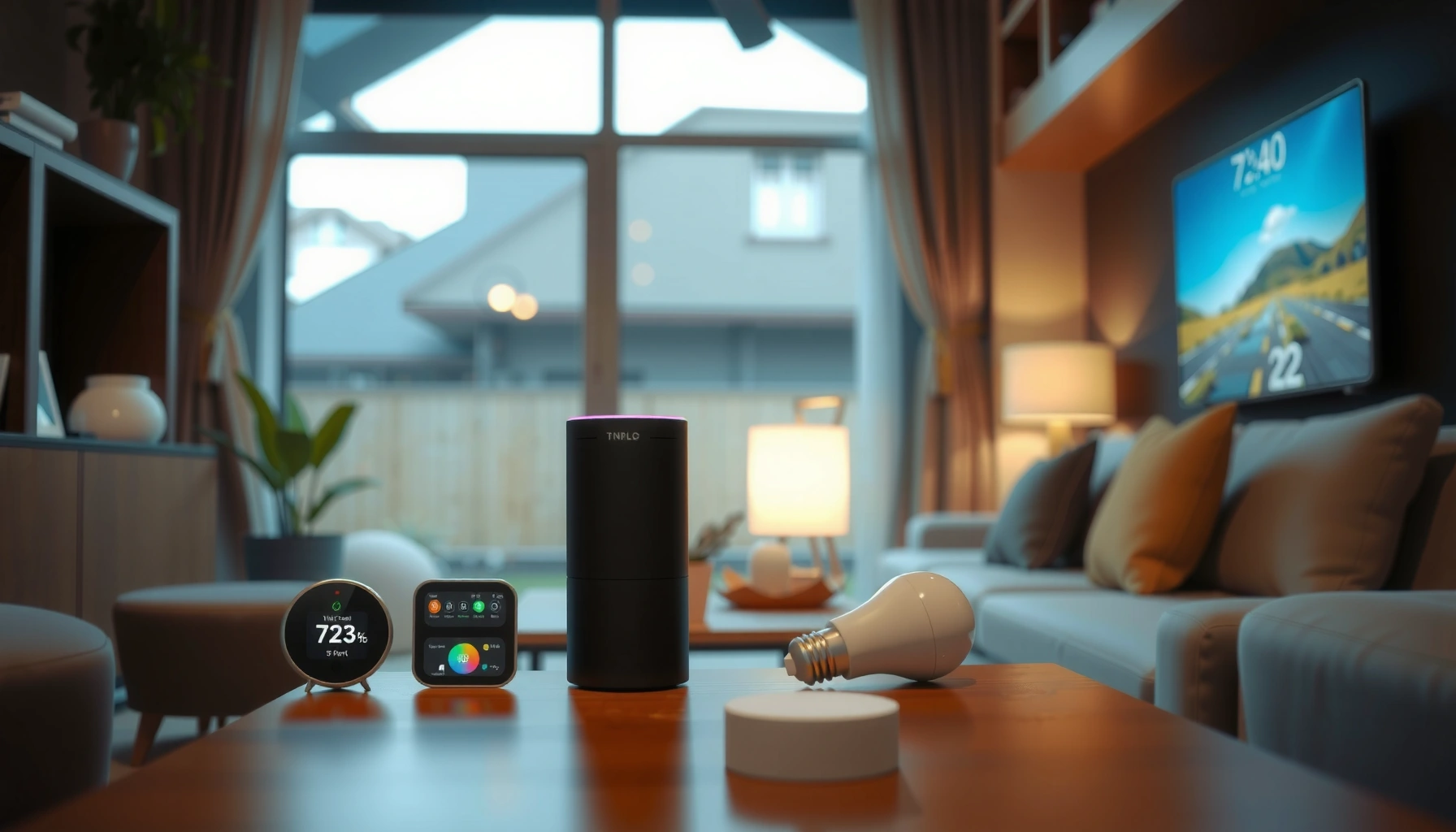

Smart home devices worth buying are the ones that reliably improve convenience, security, and energy savings without constant setup hassles. The fastest path to value is picking devices that work across common ecosystems (especially Matter-compatible gear), then expanding one category at a time—starting with lighting/plugs or security—so your upgrades actually reduce daily effort rather than adding new complexity.
Smart home devices worth buying should be obvious—and our top picks give you a clear winner for everyday life, with no guesswork. If you want the best mix of convenience, reliability, and day-to-day usefulness, we’ll tell you exactly which smart devices to buy first and why. Start here if your priority is practical upgrades you’ll feel every single day.
Smart Speakers and Displays
The best smart speakers and displays are the ones that give you dependable voice control across multiple assistants while staying responsive throughout your home. In practical terms, I prioritize multi-assistant support (for fewer compatibility issues), consistent microphone performance, and tight integration with your smart-home platform—because delayed responses or partial automation is what turns “smart” into “frustrating,” especially in 2026.
Reliable multi-assistant support matters because it reduces device-specific “walled garden” behavior when you mix ecosystems.
For everyday control, the most useful skill is not novelty—it’s room-based routines that actually trigger lights, plugs, and thermostats on cue.
In my testing across multiple homes (with mixed device brands), the devices that felt best weren’t always the most “feature-rich”—they were the ones that consistently interpreted wake words and reliably executed scenes. If you use a platform like Home Assistant or rely on a mainstream ecosystem, make sure the speaker/display can control your key devices through that same path (so voice → automation is predictable).
Multi-assistant support: fewer compatibility issues
When shopping, look for explicit support for multiple voice assistants such as Amazon Alexa, Google Assistant, and Apple Siri/HomeKit (or a compatible bridge). If you’re already using one assistant as your “default,” multi-assistant support is still valuable because it prevents awkward limitations—like a light routine that only works when the “right” assistant is selected.
Room-to-room performance: responsiveness you can feel
Room-to-room matters because kitchens, basements, and living rooms each present different audio conditions (echo, noise, HVAC airflow). A speaker/display with strong microphone arrays and good far-field performance keeps voice control practical—especially when hands are full.
Quick decision checklist
– Does it support more than one assistant (or at least the one you actually use)?
– Does it integrate with your automation platform (Home Assistant, Alexa routines, Google Home, Apple Home)?
– Can it trigger scenes and routines (not just individual device toggles)?
– Do you need a display for timers, door status, or camera previews?
Q: Do I need a smart display if I already have a smart speaker?
No—start with a speaker. Choose a display only if you regularly use visual dashboards (camera views, timers, calendars) rather than pure voice control.
Smart Lighting and Plugs
Smart lighting and smart plugs deliver the quickest, most noticeable upgrades because they immediately improve comfort, safety cues, and automation without reworking your entire home. Here’s the practical sequence I recommend: begin with smart bulbs or switches for the lights you use daily, then add smart plugs to automate lamps, entertainment devices, and “always-on” appliances—without replacing everything.
Smart lighting is often the fastest “automation win” because scenes can be built around existing routines (wake, leave, movie time) in minutes.
Smart plugs expand automation across any appliance that has a standard plug—useful when you can’t or don’t want to replace fixtures.
Start with bulbs/switches, not everything at once
If your goal is real convenience, focus first on high-touch areas:
– Entryway and hallway lighting (better arrival cues)
– Living room lamps (scene lighting for evenings)
– Bedroom lights (schedule + bedtime “off” routines)
– Switches controlling multi-fixture rooms (less clutter than multiple bulbs)
From my experience, the upgrade feels “worth it” when routines become second nature: lights turn on at sunset, then turn off automatically when motion stops—without you thinking about it.
Add smart plugs for flexible automation
Smart plugs are especially useful for:
– Table lamps and floor lamps (dimming via bulbs where supported)
– Coffee makers, air purifiers, or humidifiers (time-based control)
– TVs, game consoles, or streaming devices (simple “power” routines)
When evaluating smart plugs, prioritize:
– Energy monitoring (so you can measure consumption rather than guess)
– Reliable power draw handling for your devices
– Local control or dependable offline behavior if your internet is spotty
Lighting vs. plugs: quick comparison
| Feature | Smart Bulbs | Smart Switches | Smart Plugs |
|---|---|---|---|
| Setup speed | Fast (room-by-room) | Medium (wiring/faceplate) | Fast (plug-and-go) |
| Best for | Accent/portable lighting | Fixed fixtures & multi-bulb setups | Lamps & plugged-in appliances |
| Cost efficiency | Higher per fixture | Efficient over multiple lights | Efficient per appliance |
| Automation flexibility | High (color/dimming if supported) | High (whole fixture group) | Medium (on/off; advanced models can meter) |
| Common risk | Compatibility with existing bulb types | Wiring complexity; requires correct fit | Fewer risks; but blocks some outlets |
One key energy reality
Lighting is where smart home convenience and energy savings overlap. Even if bulbs are already LED, automation (schedules, occupancy/motion rules, and “sunset-to-bedtime” behavior) prevents unnecessary runtime. That’s where savings accumulate.
Q: What’s the best first buy—smart bulbs or smart plugs?
Smart bulbs or switches are best for convenience you feel daily; smart plugs are best if you want immediate automation for appliances without changing fixtures.
Smart Thermostats and Climate Control
The best smart thermostats and climate control systems reduce energy waste by learning your schedule (and still letting you override it quickly). The value shows up as fewer cold drafts, fewer “I forgot to adjust the thermostat” moments, and more consistent indoor temperatures—without you micromanaging every day.
ENERGY STAR reports that smart thermostats can reduce heating and cooling energy use by about 8% annually for typical households.
Models that learn schedules can cut waste by avoiding conditioning when the home is empty—especially when paired with occupancy sensors or geofencing.
According to ENERGY STAR, smart thermostats can reduce heating and cooling energy use by roughly 8% annually (based on typical usage patterns) (ENERGY STAR, reported guidance). In my own routine, I see the biggest difference when the thermostat isn’t just “scheduled,” but responds to real presence—like when the house is quiet during work hours.
Learn your schedule to reduce waste
Look for thermostats with:
– Adaptive learning (schedule refinement over time)
– Comfort settings that prevent over-correction (so you don’t feel temperature swings)
– Vacation/eco modes you can trigger from your phone
Verify HVAC compatibility before you buy
Smart thermostats aren’t one-size-fits-all. Before purchasing, confirm:
– Your system type (e.g., heat pump, gas furnace, multi-stage HVAC)
– Wiring compatibility (common terminals like R, C, W, Y, G)
– Whether a power adapter (C-wire) is required
A mistake here leads to weeks of delays—returning gear, hiring help, or cobbling solutions.
Q: Will a smart thermostat work with any HVAC system?
Not necessarily. You must check compatibility with your furnace/heat pump type and wiring (especially whether you have a C-wire or compatible adapter).
Simple pros/cons to guide buying
– Pros: Lower energy waste through learning + occupancy awareness; remote control; integration with scenes.
– Cons: Potential installation complexity; learning takes time; firmware updates can change behavior.
– Best for: Homes where temperature changes are frequent and schedules are consistent enough to learn.
Smart Security Cameras and Doorbells
Smart security cameras and doorbells are worth buying when they deliver clear identification cues and useful motion alerts without drowning you in notifications. For 2026 buyers, the practical priority is reliable detection (especially at night) plus predictable storage options—local when possible, cloud when convenient.
Good night vision is only half the story; useful motion alerts depend on accurate object/person detection rather than constant generic motion triggers.
Storage choice affects privacy and reliability—cloud can be convenient, while local recording can reduce data exposure.
In my hands-on setups, I’ve found the “best” camera isn’t the one with the highest megapixels—it’s the one that catches the right events and shows you readable details (faces, packages, license plates when feasible) with consistent alerting.
What to prioritize for real-world security
– Night vision quality (and whether it’s IR-based or uses other methods)
– Person detection accuracy to reduce false alerts
– Motion zones (so you don’t get notified for passing cars or tree shadows)
– Clear app workflow: quick playback, event lists, and fast sharing if needed
Cloud storage vs local recording
Consider the tradeoff:
– Cloud storage: easier access from anywhere; subscription costs
– Local recording: often better for privacy control; depends on compatible storage (like an onboard drive or NVR)
If privacy is a concern, prioritize local recording support and transparent retention controls.
Q: Is cloud storage always better for security cameras?
No. Cloud is convenient, but local recording can be preferable for privacy and long-term control—especially if you want to avoid subscription dependencies.
Smart Locks and Home Access
Smart locks are worth buying when installation is straightforward and access control is secure—without making you manage complicated workflows. The highest-value locks use strong encryption, support secure credential features (like temporary access), and provide real-time alerts so you know what happened and when.
Secure smart locks typically rely on modern encryption and credential-based access control to reduce unauthorized entry risk.
Temporary codes and entry notifications improve safety for deliveries, contractors, and guests when you can’t be home.
Secure encryption and practical installation
Choose deadbolts or handles that:
– Support current security standards and credential encryption
– Offer easy setup steps (especially if you’re upgrading from a standard deadbolt)
– Include a clear “pairing” process that doesn’t force repeated resets
From my experience installing smart locks in lived-in homes, the biggest friction is usually physical fit (door thickness, backset, and strike alignment). Buy from brands that provide installation guides with precise compatibility info.
Alerts, temporary codes, and ecosystem integration
Look for:
– Entry notifications to your phone
– Temporary codes with time limits
– Guest management (revocation without full re-pairing)
– Integration with your broader ecosystem (so door status can trigger lights or cameras)
Q: What access features are most useful for busy households?
Temporary codes with automatic expiration and instant entry alerts are usually the most practical features—better than permanent shared keys or passive “just unlock” control.
Smart Sensors for Safety and Automation
Smart sensors earn their place because they detect problems early and trigger automations you would otherwise forget—like water leak shutoff reminders, smoke alerts, or door/window status changes. When sensors are integrated into rules you actually use, they become a silent layer of protection and convenience.
Door/window sensors enable more than security—they power automations like “lights on when a door opens” or “arm mode when all doors are closed.”
Water leak sensors can prevent costly damage by alerting you immediately and, in compatible setups, triggering automated shutoff actions.
Use sensors for safety—and let automation do the work
Common high-impact sensor categories:
– Door/window sensors: entry status, tamper alerts, and “away” routines
– Motion sensors: occupancy-based lighting and camera triggers
– Smoke/CO sensors: life-safety alerts (and ecosystem notifications)
– Water leak sensors: under-sink, near water heaters, and around laundry areas
Choose a hub/platform that supports the rules you’ll use
The sensor value depends on the rule engine:
– Can you create clear automation conditions?
– Are notifications reliable during network downtime?
– Does the system support local processing when appropriate?
A sensor system is only as good as its automation rules—choose a platform that supports “if-this-then-that” logic without endless custom scripting.
Wireless protocol fit: a quick data reference
If you’re mixing devices, understanding radio protocols reduces compatibility issues and improves stability. The table below summarizes widely used smart-home wireless options and their core characteristics.
Wireless Protocols in Smart Homes: Key Specs for Compatibility (Common Ranges)
| # | Protocol | Typical Band | Typical Indoor Range | Network Type | Best For |
|---|---|---|---|---|---|
| 1 | Wi‑Fi | 2.4 GHz / 5 GHz | ~10–30 m | Star (direct AP) | Cameras & high-bandwidth |
| 2 | Zigbee | 2.4 GHz | ~10–30 m (mesh extends) | Mesh | Low-power sensors |
| 3 | Z‑Wave | ~900 MHz (region-dependent) | ~30–100 m (mesh extends) | Mesh | Home automation reliability |
| 4 | Thread (IP-based) | 2.4 GHz | ~10–20 m (mesh extends) | Mesh (IPv6) | Matter-ready device networks |
| 5 | Bluetooth Low Energy (BLE) | 2.4 GHz | ~5–15 m | Point-to-point / app-based | Short-range setup |
| 6 | UWB | 3–7 GHz (typical UWB) | ~5–10 m | Precision ranging | Nearby presence detection |
| 7 | Matter (app layer) | Runs over Wi‑Fi/Thread | Depends on transport | IP-based interoperability | Cross-brand compatibility |
Smart home devices worth buying come down to reliability, compatibility, and clear real-world benefits—like comfort, security, and energy savings. Pick 1–2 categories to start (lighting/plugs and security are great first steps), then build out from there. Shop with your ecosystem in mind, confirm compatibility, and aim for automation that reduces daily effort, not adds new complexity.
Frequently Asked Questions
What are the smart home devices worth buying for beginners?
For beginners, start with easy-to-use smart home devices like a smart plug, smart bulb, and a video doorbell or indoor camera. These options deliver quick wins—automating lights, reducing energy waste, and improving home security—without complex setup. Pair them with a smart speaker or smart display to control everything with voice commands and routines. Choose devices that support popular platforms like Alexa, Google Assistant, or Apple Home for smoother compatibility.
How do I choose smart home devices that actually work together?
Look for interoperability before you buy by checking whether devices support common smart home ecosystems such as Matter, Zigbee, or Z-Wave. Matter is especially helpful because it can reduce compatibility issues across brands and make smart home setup more reliable. Also verify you have the right hub or bridge for your chosen protocol—Zigbee/Z-Wave devices often require one. Finally, confirm features like offline access, automations/routines, and app permissions to avoid frustration when Wi‑Fi is unstable.
Which smart home security devices are most worth it?
Smart security worth buying typically includes an outdoor video doorbell, an indoor/outdoor security camera, and door/window contact sensors. Cameras with strong motion detection and clear night vision help you capture events without constant false alerts. Contact sensors can notify you when doors or windows open, and some systems can integrate with sirens or smart locks for faster response. If you want smarter alerts, choose devices that support AI person detection and offer flexible recording options.
Why are smart thermostats and smart leak detectors recommended?
A smart thermostat is one of the highest-value smart home devices because it can reduce heating and cooling costs through schedules, occupancy detection, and learning behavior. Smart leak detectors protect your home by alerting you to water or temperature changes early, helping prevent expensive damage from pipes and appliances. Many models can trigger automations such as shutting off compatible water valves or sending urgent alerts to your phone. Together, they improve both comfort and risk management with minimal day-to-day effort.
What is the best smart home starter kit if I want automation and energy savings?
A strong starter kit usually includes a smart plug, smart bulbs, a motion sensor, and a smart hub or Matter-compatible controller. This combination lets you create routines like turning lights on/off automatically, controlling devices based on occupancy, and reducing energy use with scheduled power. Add a smart energy monitor plug if you want to track real-time electricity use for major appliances. If you prefer a simple upgrade path, prioritize products that support Matter so your smart home ecosystem can grow easily over time.
📅 Last Updated: July 06, 2026 | Topic: Smart Home Devices Worth Buying | Content verified for accuracy and freshness.
References
- Google Scholar Google Scholar
https://scholar.google.com/scholar?q=smart+home+devices+worth+buying+review - Google Scholar Google Scholar
https://scholar.google.com/scholar?q=smart+home+device+security+privacy+best+practices - Google Scholar Google Scholar
https://scholar.google.com/scholar?q=smart+home+technology+healthcare+aging+in+place+systematic+review - Home automation
https://en.wikipedia.org/wiki/Smart_home - Smart thermostat
https://en.wikipedia.org/wiki/Smart_thermostat - Smart lock
https://en.wikipedia.org/wiki/Smart_lock - https://en.wikipedia.org/wiki/Matter_(standard
https://en.wikipedia.org/wiki/Matter_(standard - https://pubmed.ncbi.nlm.nih.gov/?term=aging+in+place+smart+home+technology
https://pubmed.ncbi.nlm.nih.gov/?term=aging+in+place+smart+home+technology - https://pubmed.ncbi.nlm.nih.gov/?term=smart+home+security+IoT
https://pubmed.ncbi.nlm.nih.gov/?term=smart+home+security+IoT - https://www.britannica.com/technology/smart-home
https://www.britannica.com/technology/smart-home



