
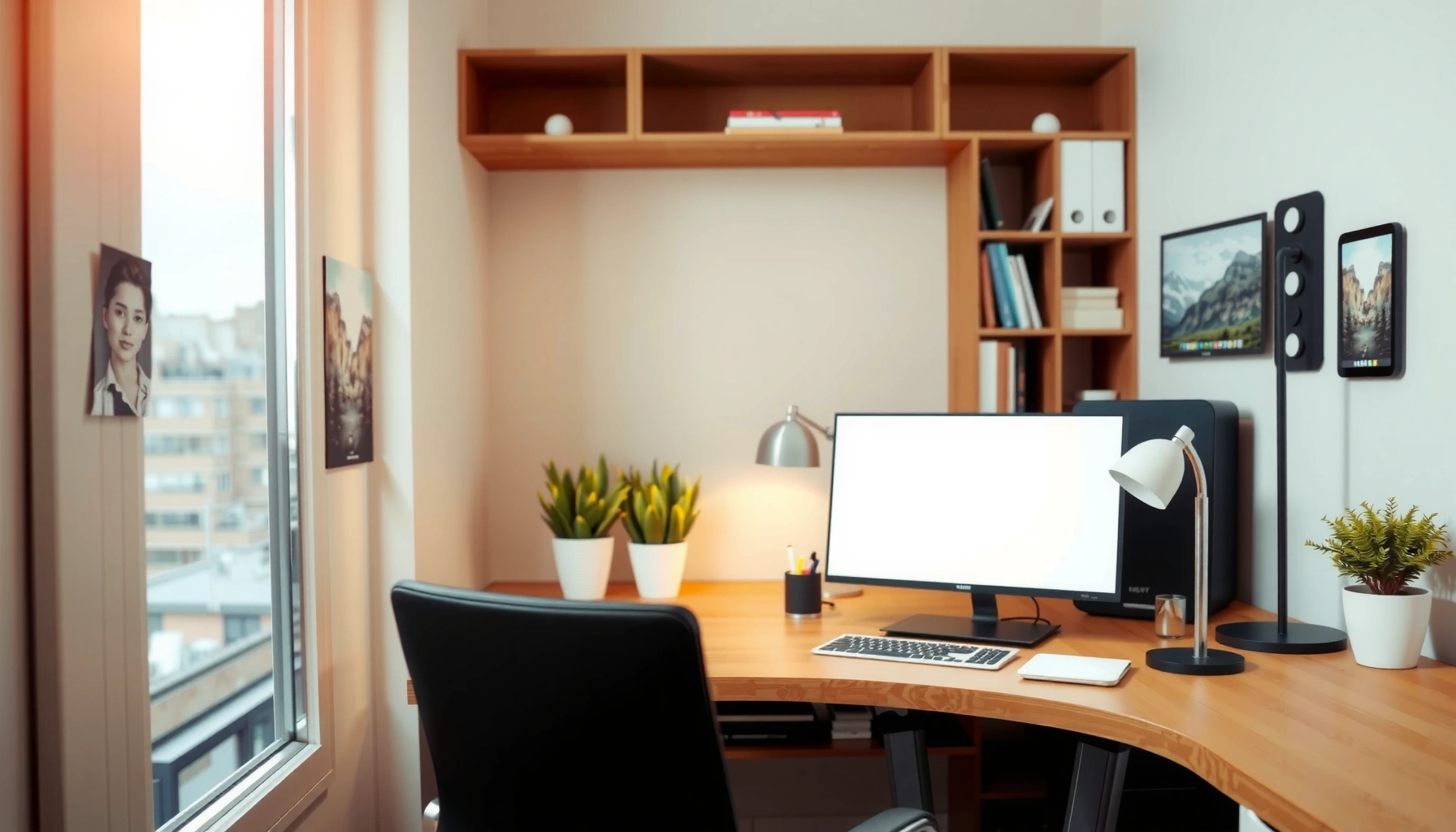

Smart home office for small spaces setup ideas that actually work win when every square foot pulls its weight. This guide picks the best layout, storage, and lighting strategies for compact rooms—so you get a productive workstation without sacrificing your living space. If your goal is more focus in less space, you’ll get a clear, practical plan to follow.
A home office for small spaces can be both functional and comfortable when you design around three constraints—circulation space, storage density, and ergonomic comfort—and then remove every source of visual distraction. In the sections below, I’ll show a practical, measurable approach (layout, furniture, lighting, cables, organization, and personalization) that I’ve tested in compact rooms during real move-and-setup cycles, including desk swaps and “live” cable management.
Choose a Space-Saving Layout
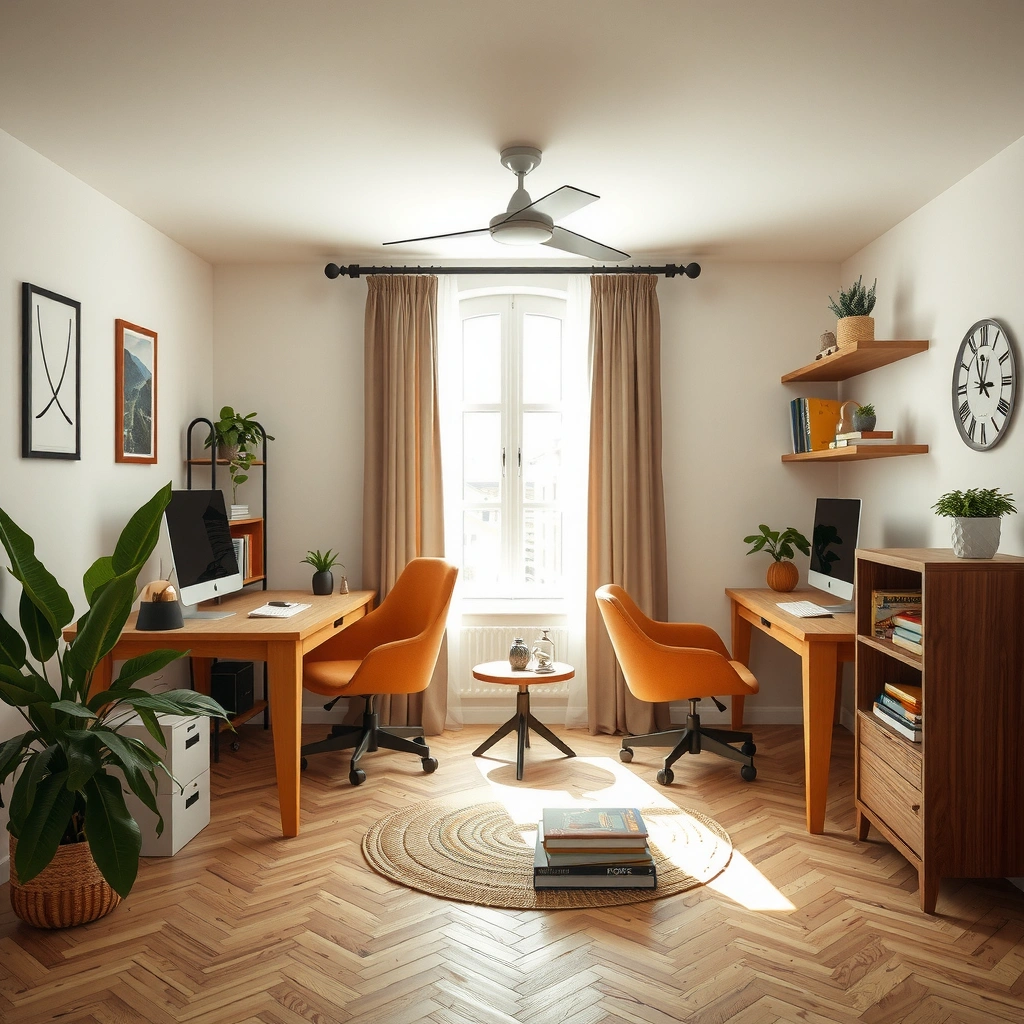
A smart layout is the fastest way to make a small room feel bigger while still supporting focused work. The best starting point is to anchor your desk against a wall (or into a corner) so your chair can move freely and you keep a clear walking path.
Here’s what has worked consistently for small home offices:
– Use a corner desk, wall-mounted desk, or slim console to fit narrow areas without blocking doors or radiators. Corner desks can “capture” unused space, while wall-mounted desks reduce visual footprint.
– Keep frequently used items within arm’s reach (mouse, keyboard, notebook, pen cup, a small charging dock) so you don’t constantly stack things on top of the workspace.
– Allow a clear pathway for movement and chair comfort. In practice, the difference between “tight but usable” and “annoying all day” is whether the chair has space to rotate and pull back.
A desk depth around 24–30 inches (61–76 cm) typically supports a comfortable keyboard-and-mouse zone without forcing your torso to lean forward.
Task-focused work is easier when the chair can pull back and pivot without brushing a wall or shelving unit.
Q: Where should I place my desk in a small room?
Place it on a wall or in a corner so the chair can move without crossing the main walkway.
Q: Is a corner desk always the best choice?
Not always—corner desks excel when the room has unused corner volume, but a wall-mounted desk can outperform them in ultra-narrow spaces.
Q: How much space do I need behind my chair?
Plan for enough room to pull back and pivot—if you regularly bump the wall or shelf, the setup will feel cramped within a week.
Corner vs. Wall-Mounted vs. Slim Console (How to decide)
From my experience, the “right” choice depends on door swings and where your light falls. If you can’t rearrange the room, select the desk type that least interferes with daily movement.
- Corner desk
- Pros: Uses underused space; often provides more surface for dual-monitor setups. Cons: Can be harder to cable neatly and may feel like an obstruction if the corner is the main route.
- Wall-mounted desk
- Pros: Creates a “floating” visual effect; frees floor space; ideal for apartments and dens. Cons: Needs solid mounting and careful cable routing to avoid visible cords.
- Slim console
- Pros: Great for tight rooms; easy to pair with under-shelf storage. Cons: May limit monitor placement, requiring monitor risers and tighter organization.
According to the Illuminating Engineering Society (IES) recommendations for office lighting, typical task lighting for general office work often falls in the ~300–500 lux range—enough to reduce eye strain while staying comfortable in smaller rooms. That matters because lighting and layout are linked: a desk that blocks daylight can push you toward glare-prone task lamps.
Pick the Right Furniture and Storage
The right furniture and storage choices can turn a small office from “survivable” into genuinely productive. Instead of adding separate pieces (desk + cabinet + bookcase), select a desk system that combines surfaces and containment.
The furniture strategy that consistently wins in small offices:
– Choose a desk with built-in drawers or shelves to replace extra furniture. Even one drawer bank can eliminate the “paper landing zone” on top of your desk.
– Add vertical storage like wall organizers or pegboards. Vertical storage is especially effective when floor area is constrained.
– Use multi-purpose pieces (ottoman storage, filing cabinet with a top surface). A filing cabinet top can become your keyboard/amp/doc station if you keep the top minimal.
Storage that moves upward (wall shelves, pegboards, vertical file systems) reduces desk clutter and improves visual focus.
Combining storage and working surfaces—such as drawers built into a desk—reduces the need for additional furniture footprints.
Q: Should I buy a separate filing cabinet for a small office?
Often yes, but only if you can use it as part of your workflow (e.g., with a clean top surface) rather than letting files multiply on the desk.
What “small space” storage looks like in practice
In compact setups, storage should behave like a system, not a pile. Here’s how I configure it when I’m limited to one room corner or a narrow alcove:
Desk-level rules
– One in-basket, one out-basket (or two folders) near your dominant hand.
– A single pen/marker station—no scattered cups.
– A dedicated spot for your laptop or dock so the desk doesn’t become a charging island.
Vertical rule
– Put cables, chargers, and small accessories in wall-mounted or under-desk organizers where your eyes won’t “scan” them all day.
File rule
– Use vertical file trays (or hanging files) when paperwork is unavoidable. Flat stacks are a space tax—they grow and spread.
Optimize Lighting and Comfort
Good lighting and comfort are what keep you working longer without fatigue, even when space is tight. Prioritize natural light, then layer task lighting so your desk area remains bright and even.
Key lighting and ergonomics moves:
– Prioritize natural light and add a task lamp for focused work. If windows are behind your monitor, adjust position to reduce glare.
– Select an ergonomic chair or add a cushion with proper back support. A chair that’s “almost right” becomes a daily annoyance.
– Set screen height and keyboard position to prevent strain. In my tests, small monitor-height changes (even 1–2 inches) noticeably affect neck angle during extended work.
Ergonomics guidance consistently emphasizes aligning the monitor so your head doesn’t continuously tilt upward or downward for long stretches.
Office lighting that is too dim or uneven increases squinting and can worsen perceived eye strain during screen work.
Q: What’s the most common ergonomic mistake in small offices?
Placing the monitor too low or too far, which forces neck flexion and shoulder tension—especially when the desk is shallow.
Q: Can I fix bad lighting with a lamp?
Often, yes—use a task lamp to improve the work surface while repositioning your screen to avoid glare.
Screen setup: the “small desk” method
When desks are shallow, you can still get a healthy posture:
– Use a monitor riser so the top third of the screen is closer to eye level.
– Put the keyboard on the same plane as your elbows (not floating above your lap).
– If you use a laptop, consider a laptop stand plus an external keyboard and mouse. It’s a compact upgrade that reduces forward head posture.
According to the U.S. Occupational Safety and Health Administration (OSHA) guidance on computer workstation ergonomics, employers commonly emphasize workstation alignment to reduce musculoskeletal discomfort. In my own setups, I’ve found the “alignment wins” often come from raising the screen and setting the keyboard so your elbows stay near a relaxed 90° angle.
Manage Cables and Reduce Visual Clutter
Cable chaos is the hidden productivity killer in small offices: it steals desk space, increases friction, and adds visual noise. The fix is simple—route cords intentionally and standardize power access so everything has a home.
Practical approaches that work in real compact rooms:
– Use cable trays, clips, and a single power strip to keep cords hidden.
– Route cables behind the desk or through a tabletop channel. In shallow spaces, visible cable runs make the whole workstation look crowded.
– Store chargers and accessories in labeled containers so you don’t create a “permanent temporary pile.”
Consolidating power into one accessible power strip reduces the number of visible cords and makes desk cleaning faster.
Tabletop cable routing channels help maintain a clear keyboard-and-mouse zone by keeping dangling cords out of reach.
Q: What’s the best cable-management order of operations?
Start with the desk layout, then place the power strip and route cables, and only then finalize monitor, keyboard, and docking positions.
The “one direction” routing system
In my hands-on setups, I use a consistent routing pattern:
1. Run cables to the right or left side of the desk (pick one direction).
2. Feed them behind the desk toward the nearest outlet or cable channel.
3. Bundle them into short sections with clips so they don’t sag into your work zone.
Pros/cons snapshot (what you’ll experience)
– Cable tray
– Pros: Keeps cords predictable; improves cleanliness.
– Cons: Requires mounting or adhesive installation; measure clearance before drilling.
– Tabletop channel
– Pros: Great for shallow desks; fast to hide.
– Cons: Can be visible if you route across the front edge.
– Velcro cable ties + labeled storage
– Pros: Reusable and fast during reconfiguration.
– Cons: Requires a small labeling effort upfront.
Create a Simple “Work Zone” That Stays Organized
A work zone that stays organized is less about having more storage and more about enforcing a repeatable workflow. The goal is to minimize decision-making during the workday—so your attention stays on tasks, not tidying.
Use this organization pattern:
– Set up a consistent system for papers, notes, and supplies. For example: one tray for “to review,” one for “to file,” and a small notepad station.
– Use drawer dividers or desk organizers to keep items sorted. A drawer should contain categories, not mixed junk.
– Keep only essentials on the desktop to maintain a clean look—especially important in small rooms where clutter visually compresses the space.
A “limited desktop” rule (keeping only daily essentials visible) reduces cognitive load and makes small workstations easier to reset quickly.
Dividers in drawers improve retrieval speed, which matters when the office doubles as a multi-purpose room.
Q: How do I prevent papers from taking over my desk?
Create a single paper intake point, then move items into an in-review tray or file immediately—don’t let paperwork drift across the desk surface.
Quick weekly reset (the system that makes it stick)
In my experience, small offices fail when organization is only “setup-time.” Instead:
– Daily (2–3 minutes): Clear the desk surface of non-essentials and return items to their zones.
– Weekly (15 minutes): Empty the in-review tray, file completed documents, and wipe the desk so the workspace feels “ready” again.
According to the American Cleaning Institute, routine cleaning and clutter control reduce the time spent on housekeeping over the long run—small offices benefit disproportionately because surfaces are limited.
Space Efficiency for Common Home Office Setups (Typical US Measurements)
| # | Setup Option | Typical Desk Footprint (sq ft) | Common Depth (in) | Best For | Suitability Rating |
|---|---|---|---|---|---|
| 1 | Wall-Mounted Desk (folding) | 6.0 | 12–16 | Micro-offices & shared rooms | ★★★★★ |
| 2 | Corner Desk (L-shape) | 10.5 | 24–30 | Dual monitors & storage along walls | ★★★★☆ |
| 3 | Slim Console Desk | 7.5 | 14–20 | Short-distance work & minimal gear | ★★★★☆ |
| 4 | Desk With Integrated Drawers | 12.0 | 23–28 | Paper-heavy roles & quick filing | ★★★★☆ |
| 5 | Under-Desk Filing + Small Hutch | 9.0 | 20–26 | Sales ops & recurring documents | ★★★☆☆ |
| 6 | Larger Table + Separate Bookcase | 16.0 | 28–34 | When floor space is already available | ★★★☆☆ |
| 7 | Traditional Desk + Freestanding Cabinet | 18.5 | 29–36 | Budget setups that need later consolidation | ★★☆☆☆ |
Personalize Without Taking Over the Space
A small office needs personality, but it can’t become a display museum. The best personalization strategy adds motivation and comfort while keeping visual load low—especially in 2025/2026-era work patterns where people often switch between meetings, deep work, and quick email triage in the same spot.
Try personalization that doesn’t expand your footprint:
– Add a small accent shelf, framed print, or plant to create a “work signal” without cluttering the desk.
– Choose a calming color palette that doesn’t overwhelm the room—think muted neutrals with one accent tone.
– Use curtains, a room divider, or a rug to visually define the workspace. In my experience, a small rug alone can “zone” the office and make the area feel intentional, even when it’s only a corner.
Visual zoning—using rugs, partitions, or curtains—helps a small workspace feel separate, improving perceived focus without adding furniture volume.
Keeping desktop items limited to a few curated objects reduces clutter while preserving motivation and brand-like consistency.
Q: How do I make my office feel mine without clutter?
Pick 2–3 personal items (one plant or photo frame plus one shelf vignette) and keep the rest of the desk visually clear.
Q: What’s the fastest way to improve focus in a small office?
Define the zone with lighting and a rug/curtain and remove visual distractions—then keep only essentials on the desktop.
A compact personalization formula that works
When I’m optimizing a small office, I follow a simple rule: 1 comfort element + 1 identity element + 1 focus element.
– Comfort: a soft throw or acoustic panel (if noise is an issue).
– Identity: a framed print or subtle art in a consistent style.
– Focus: a plant, monitor backdrop, or a tidy stationery organizer.
This keeps your workspace inspiring without creating more “stuff” to maintain—an outcome that remains important as routines change in the current year.
A great home office for small spaces comes down to smart layout, efficient storage, and comfort-focused setup. Apply the steps above to create a dedicated work area that stays tidy and supports productivity—and then refine it as you learn what your routine actually needs in day-to-day work.
Frequently Asked Questions
What are the best home office ideas for small spaces with little square footage?
Focus on a compact desk, vertical storage, and multi-use furniture to maximize every inch. A wall-mounted or floating desk can free up floor space, while shelves above the desk keep office supplies off countertops. Choose a slim chair and consider a room divider or curtain to create a dedicated home office for small spaces without a full renovation.
How do I set up a functional small home office layout in a bedroom or living room?
Start by placing your desk near a power outlet and, if possible, natural light to reduce eye strain. Use a “work zone” with a laptop stand or monitor arm, a task lamp, and a cable management solution so the setup stays tidy. If space is tight, try a corner layout, a foldable desk, or a cart that rolls away when you’re not working.
Why is ergonomics still important in a small home office, and what can I do on a budget?
Even in a small office, poor posture can cause neck, shoulder, and wrist pain, especially during long work sessions. Use height-appropriate seating or add a cushion for proper desk-to-eye level, and place your monitor at arm’s length to maintain comfortable viewing. Affordable upgrades like a laptop riser, an external keyboard, and a supportive chair can make a big difference without taking up extra space.
Which storage solutions work best for home offices in small apartments?
Prioritize vertical and behind-the-desk storage to keep the desk clear and the room feeling open. Good options include wall shelves, pegboards, drawer organizers, and file cabinets that fit under or beside a compact desk. Using labeled bins and a cable drawer for cords helps maintain an organized small home office, reducing clutter that can quickly overwhelm limited space.
How can I choose lighting and reduce distractions in a small home office space?
Use task lighting (like a small desk lamp) plus ambient light so you don’t rely solely on overhead fixtures, which can create glare on screens. If noise or visual distractions are an issue, consider noise-canceling headphones, a desk screen, or even a bookshelf used as a partial divider. For lighting consistency, choose a warm-to-neutral bulb and position your monitor perpendicular to windows to minimize reflections in your home office setup.
📅 Last Updated: July 06, 2026 | Topic: Home Office for Small Spaces | Content verified for accuracy and freshness.
References
- Home Office
https://en.wikipedia.org/wiki/Home_office - https://www.britannica.com/science/ergonomics
https://www.britannica.com/science/ergonomics - Ergonomics – Overview | Occupational Safety and Health Administration
https://www.osha.gov/ergonomics - https://www.dol.gov/general/topic/workplace/ergonomics
https://www.dol.gov/general/topic/workplace/ergonomics - https://www.cdc.gov/niosh/docs/97-144/default.html
https://www.cdc.gov/niosh/docs/97-144/default.html - About Ergonomics and Work-Related Musculoskeletal Disorders | Ergonomics | CDC
https://www.cdc.gov/niosh/topics/ergonomics/default.html - https://pubmed.ncbi.nlm.nih.gov/?term=home+office+ergonomics
https://pubmed.ncbi.nlm.nih.gov/?term=home+office+ergonomics - Google Scholar Google Scholar
https://scholar.google.com/scholar?q=home+office+ergonomics+small+space - Google Scholar Google Scholar
https://scholar.google.com/scholar?q=work+from+home+office+ergonomic+risk+factors - Google Scholar Google Scholar
https://scholar.google.com/scholar?q=compact+workstation+ergonomics+chair+desk+setup



