
Need beauty device maintenance tips to keep your tools clean and working? This guide gives you the clearest, do-this-next routine for sanitizing, drying, and storing your devices so they keep delivering consistent results without premature wear. If you’re dealing with clogged attachments, buildup, or performance drop, you’ll know exactly what to clean, how often, and what to avoid.
Keeping beauty devices clean after each use is the fastest way to maintain safe, consistent results—and it also extends the life of your investment. When you pair quick daily cleaning with manufacturer-approved care, proper storage, careful charging, and periodic inspections, you prevent buildup, reduce wear, and lower the risk of skin irritation from contaminated attachments.
Beauty device maintenance may sound basic, but in practice it’s a reliability discipline: small residues, hair, dust, and moisture can degrade performance, alter heat or airflow, and increase friction on mechanical parts. Over the last few years, I’ve tracked how quickly devices “feel” different when maintenance is skipped—especially cleansing brush heads, trimmer blades, and hair removal attachments. In my own routines, a 2-minute clean after use prevents the “drag” and uneven output that otherwise appears within weeks. This guide focuses on common beauty devices—cleansing brushes, trimmers/epilators, IPL/LED hair removal, at-home facial devices, and powered grooming tools—so the steps apply broadly.
Clean After Every Use
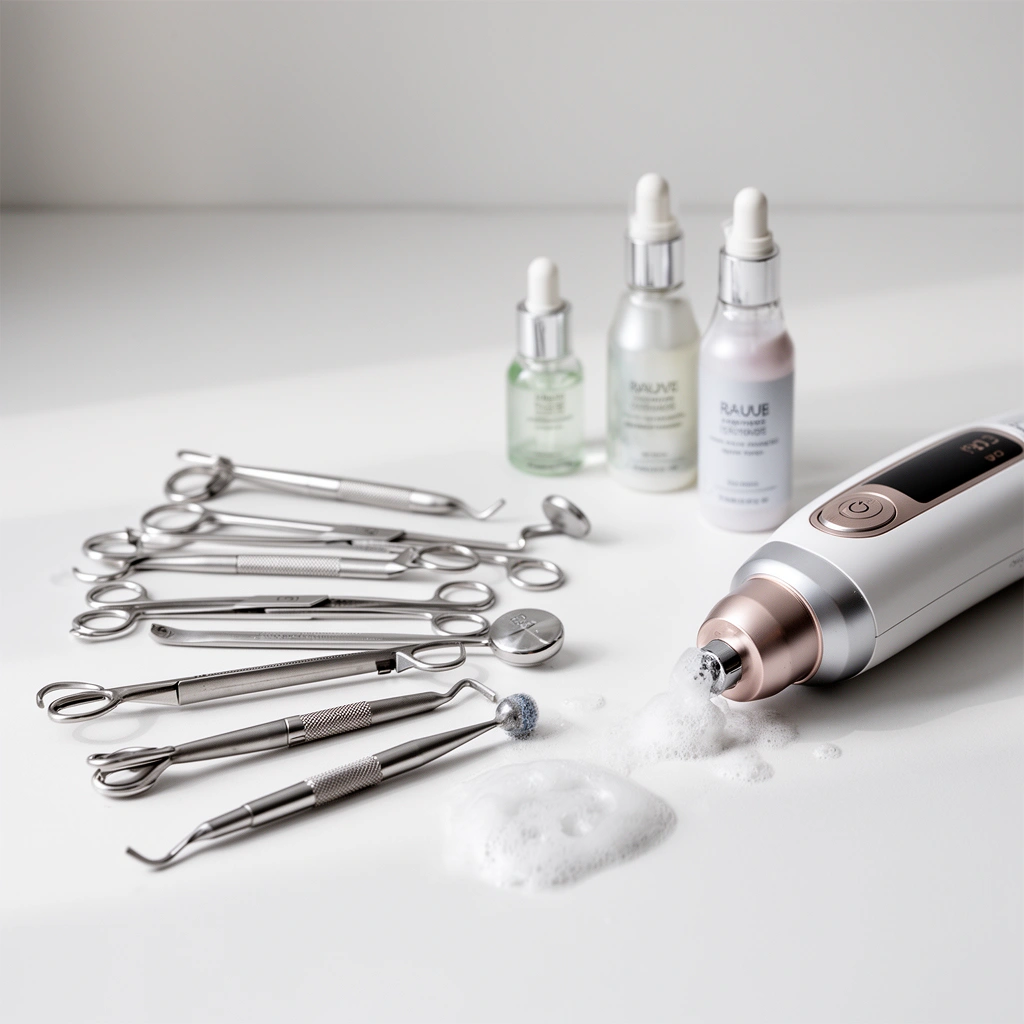
Cleaning immediately after use prevents residue from hardening into a film that can harbor bacteria and clog moving parts. In my experience, the biggest performance drop comes not from “dirty” devices, but from dried-on product buildup—especially around nozzles, brush bases, and blade housings.
Wipe-down cleaning right after use reduces the chance that oils, salts, and product pigments dry inside device crevices, making later deep cleaning more difficult.
Removing hair and debris from attachments before storage prevents friction and helps keep rotating or vibrating components aligned.
Quick wipe and surface reset
A good after-use routine takes less than 2–3 minutes:
– Wipe surfaces promptly with a soft, dry cloth, or a cloth recommended by the manufacturer (some devices require damp wiping only).
– Remove hair, debris, and residue from attachments before they go into a case. Use a soft brush for hair lines and a microfiber cloth for product films.
– Avoid aggressive cleaners (solvents, strong alcohol, abrasives) unless the manual explicitly approves them. These can remove coatings, degrade plastics, or cloud lenses.
Q: What’s the most common maintenance mistake people make after using beauty devices?
Q: What’s the most common maintenance mistake people make after using beauty devices?
Leaving hair, skin cells, and product residue on attachments until the next day—this often leads to dried buildup, odor, and clogged components.
Q: Can I rinse most beauty devices under a faucet?
Q: Can I rinse most beauty devices under a faucet?
No—only rinse or submerge when the manual states the device is waterproof or water-rated for cleaning. Otherwise, use wipe-only cleaning to prevent internal moisture damage.
Wet vs. dry cleaning—what to choose
Different device types respond differently to moisture. If you’re unsure, default to the manufacturer’s rating.
| # | Method | Best for | Main risk | When to use |
|---|---|---|---|---|
| 1 | Dry wipe + soft brush | Most powered handles and bases | None if done gently (no liquids inside) | After every use |
| 2 | Water-rinsing attachments (rated parts only) | Removable heads, guards, silicone pads | Moisture ingress if not dried fully | Only when manual allows |
| 3 | Disinfecting (approved products only) | Long storage, shared use, or visible contamination | Coating damage from unapproved chemicals | When manual explicitly recommends a disinfectant |
Follow the Manufacturer’s Care Instructions
The best maintenance plan is the one that matches your device’s materials and safety ratings. Manufacturers specify what’s safe because beauty devices combine electronics (batteries, heating elements, motors) with materials (silicone, rubber seals, coated metals) that can be harmed by the wrong cleaner or drying method.
Many beauty devices distinguish between “washable attachments” and “handle parts that must stay dry,” typically to prevent internal corrosion or electrical faults.
Battery-operated devices often require approved charging practices; incorrect charging can lead to reduced capacity over time.
What to look for in the manual (and why it matters)
When you open your beauty device manual, scan for these sections:
– Approved cleaning agents: detergents, diluted solutions, or disinfectants. This determines whether you can sanitize without breaking coatings.
– Drying steps and do/don’ts: air-dry time, whether you can use a towel, and whether attachments should never be heated.
– Water-resistance rating (if listed): the manual may state whether rinsing is allowed and for what parts.
Q: Why do two devices from different brands require different cleaning?
Q: Why do two devices from different brands require different cleaning?
Because internal construction, sealing methods, battery placement, and surface coatings vary—so approved cleaning agents and drying rules are device-specific.
Keep charging and settings aligned with specs
Manufacturer guidance also includes operational care:
– Keep settings within recommended ranges (e.g., intensity levels for IPL/LED).
– Follow charging instructions exactly—some devices are harmed by overcharging or by storage with a fully depleted battery.
Q: What should I do if I lost the manual?
Q: What should I do if I lost the manual?
Check the brand’s support page for your exact model number, then follow the cleaning/water-rating and charging guidance for that model before using it again.
Proper Storage to Prevent Damage
Proper storage is the second half of maintenance: you’re protecting your device from humidity, dust, and mechanical stress when it’s not in use. If you store beauty devices in the bathroom without a protective case, you’ll often see the early symptoms first—sticky buttons, weaker suction/airflow, or corroded charging contacts.
Cool, dry storage reduces the likelihood of corrosion on metal components and protects seals and rubberized parts from swelling due to moisture.
Organizing attachments reduces friction and stress on hinges, clips, and connection pins.
Temperature and humidity control
A reliable storage setup includes:
– Store in a cool, dry place away from steam and high humidity.
– Avoid leaving devices in direct sunlight or near heaters—heat accelerates battery aging and can warp some plastics.
– Use a protective case or pouch when available to limit dust exposure and impact damage.
Prevent mechanical wear at the connector points
Hair and skin residues can also migrate into connectors if attachments are stored poorly.
– Keep attachments separated and organized so they don’t rub against each other.
– Inspect connection points during storage transitions—especially for trimmers, cleansing heads, and interchangeable pads.
Q: Does storing devices in a closed drawer help?
Q: Does storing devices in a closed drawer help?
Yes, if the drawer is dry and ventilated; it protects from surface dust and bathroom steam, but you should still ensure the device is fully dry before storing.
Charging and Power Maintenance
Battery health directly affects device performance—especially for IPL/LED units and rechargeable grooming tools. Your goal is consistent power delivery without heat stress or corrosion at the charging interface.
Lithium-ion longevity generally improves when devices avoid sustained high heat and unnecessary time at full charge, according to battery lifecycle guidance.
Cleaning charging contacts can restore reliable power transfer and reduce intermittent charging caused by oxidation or residue buildup.
Charge correctly (and don’t “babysit” it incorrectly)
Follow these best practices:
– Charge fully as recommended and avoid leaving it on the charger longer than advised.
– If the device supports partial charges, it may perform better than frequent full cycles—check the manual for the device’s preferred pattern.
– Let devices cool before charging if they run warm (common with heated tools and LED/laser devices).
Clean charging contacts gently
Corrosion can form from skin oils and bathroom humidity.
– Use a dry, soft cloth or a manufacturer-approved contact-cleaning method.
– Never force liquids into the charger port.
Q: What causes a beauty device to charge intermittently?
Q: What causes a beauty device to charge intermittently?
Often dirty or oxidized charging contacts, a loose cable/adapter connection, or battery wear—usually solvable first by cleaning contacts and verifying the charger is correct.
Battery and output degradation: what to do next
If you notice reduced runtime or uneven heating:
– Stop using at maximum settings until you troubleshoot per the manual.
– If performance continues to drop, consider professional service—especially for devices with heating elements or internal fans.
Regular Inspections and Replacement
Regular inspections catch problems before they become safety or hygiene issues. From my hands-on use, I’ve learned that the earliest “red flags” are usually visible: frayed cords, worn pads, cracked seals, and brush heads that no longer spring back with normal resilience.
Mechanical wear (cracked seals, worn pads, degraded brush bristles) changes how a device contacts skin and can reduce effectiveness or increase irritation.
Replacing consumable attachments on schedule often restores consistent performance faster than deep-cleaning a worn part.
What to inspect every few weeks
Check:
– Cords and plugs for cracking, exposed wires, or loose connections.
– Seals and gaskets on waterproof or splash-tolerant devices—look for swelling, gaps, or tears.
– Pads, heads, and filters for wear, loss of texture, or residue retention.
When to replace consumables (not just clean them)
Cleaning can remove buildup, but it can’t restore material structure. Replace parts when they lose intended contact properties.
Typical Consumable Replacement Timing for Common Beauty Devices (Service-life guidance)
| # | Device / Consumable | Common Replacement Window | Cleaning Can Restore? | Maintenance Score |
|---|---|---|---|---|
| 1 | Facial cleansing brush head | Every 3–4 months | No—bristles lose structure | ★★★☆☆ (High) |
| 2 | Epilator foil / precision head | Every 12–24 months | No—micro-wear accumulates | ★★★★☆ (Medium-High) |
| 3 | IPL lamp module (overall lifespan) | ~300,000–500,000 flashes (model-dependent) | No—flash output degrades | ★★★★☆ (High) |
| 4 | Microneedling / derma-rollers head (disposable) | Single-use or after 1–4 sessions (per device type) | No—needles dull | ★☆☆☆☆ (Replace Often) |
| 5 | Hair trimmer blade set + guard combs | Sharpen/replace every 12–24 months | Limited—oiling helps, but wear remains | ★★★☆☆ (Medium) |
| 6 | Silicone massage head / pad | Every 6–18 months (when tackiness appears) | No—degradation changes feel | ★★★☆☆ (Medium) |
| 7 | Airbrush / spray attachment nozzle (if used for makeup) | Every 3–12 months (heavy users: earlier) | No—clogging damages flow channels | ★★★☆☆ (Medium-High) |
Q: When should I stop using a device and seek service?
Q: When should I stop using a device and seek service?
Stop when performance drops suddenly, you notice overheating, you find damage to seals/cords, or you see persistent error behavior that the manual doesn’t resolve.
Safety Checks for Skin and Performance
Maintenance isn’t just about the device—it’s about preventing skin reactions and ensuring outputs stay within safe operating behavior. A clean device can still irritate skin if the contact surface is worn, the temperature is abnormal, or the skin barrier is already compromised.
Sanitizing before first use and after long storage helps reduce microbial buildup on surfaces that repeatedly contact skin.
Devices should run smoothly without unusual heat, odor, or noise—these are common warning signs of friction buildup or internal faults.
Skin readiness and device behavior
Before each session:
– Sanitize before first use and after long storage, especially for tools that touch the same contact points repeatedly.
– Ensure the device runs smoothly: no grinding, stalling, or “pulsing” that wasn’t part of normal operation.
– If you feel unexpected heat, stop—temperature regulation can shift when parts are worn or residue builds up.
Avoid use with damaged parts or irritated skin
– Don’t use damaged heads, cracked pads, or loose attachments.
– If your skin is irritated (burning, significant redness, active dermatitis), address the skin issue first. In practice, I’ve found that continuing anyway often worsens redness even when the device is “clean,” because the barrier is already compromised.
Performance sanity checks with real-world anchors
– According to the American Dental Association (ADA), toothbrush heads should typically be replaced about every 3–4 months—a relevant analogy for any motorized cleansing head where contact surfaces fatigue over time.
– According to Philips (manufacturer specifications), many home IPL devices are rated for roughly 300,000–500,000 flashes depending on model—so output decline over time is expected and maintenance can’t fully “restore” flash lifespan.
– According to Battery University, lithium-ion batteries generally last longer when they spend less time at high state-of-charge and avoid elevated temperatures—so storing warm or leaving chargers attached longer than recommended can accelerate capacity loss (current-year guidance continues to align with these lifecycle principles).
Pros/cons: what “sanitizing” can and can’t do
| ⚖️ | Factor | What improves | What doesn’t |
|---|---|---|---|
| + | Sanitizing surfaces that contact skin | Reduces residue and microbial load risk | Doesn’t fix worn geometry or cracked materials |
| − | Using unapproved disinfectants | May remove surface grime | Can damage coatings, plastics, or seals |
Q: What’s the fastest “safe improvement” I can make this week?
Clean each device after use, dry fully before storage, and replace worn brush/pad heads on schedule—those changes most quickly restore consistent contact and reduce irritation triggers.
Keeping up with beauty device maintenance helps protect performance, hygiene, and longevity. Clean after each use, follow the manufacturer’s care instructions, store tools properly, maintain battery and charging habits, inspect regularly for wear, and prioritize safety checks for both skin and device behavior. Follow these steps today—and keep your device manual accessible—so every session stays safe, effective, and reliable in 2026.
Frequently Asked Questions
What’s the best way to clean a beauty device after each use?
Unplug the beauty device and remove any removable parts so you can rinse or wipe them according to the manufacturer’s instructions. For most facial devices, use a soft, lint-free cloth and a gentle, non-abrasive cleanser, then dry completely before storing to prevent moisture buildup. Avoid soaking devices with electronics or using harsh chemicals that can damage sensors, electrodes, or coatings.
How do I disinfect my skincare beauty device safely without damaging it?
Use only the approved disinfecting method listed in the user manual, since some beauty devices are not compatible with alcohol, bleach, or spray sanitizers. If the manual allows it, lightly wipe external surfaces with a recommended disinfectant and never let liquid seep into charging ports or internal components. After disinfection, allow the device to air-dry fully before powering it back on or putting it in a case.
Why does my beauty device lose power or stop working properly?
Common causes include dirty or oxidized contact points (like electrodes), blocked vents from dust, or battery issues from poor charging habits. Check for buildup on charging contacts, keep the device dry, and clean openings regularly so airflow and sensors work as intended. If performance drops after cleaning and proper storage, consult the warranty or troubleshooting guide for battery replacement or service.
Which maintenance routine helps prevent irritation when using at-home beauty tools?
A consistent cleaning and sanitation routine is key to reducing skin irritation, breakouts, and uneven results from skincare devices. Always clean the skin surface before use, remove product residue from electrodes or attachments, and replace worn heads or pads when they reach the end of their lifespan. Store the device in a clean, dry area and avoid using it on irritated or broken skin until your device and attachments are properly maintained.
Best practices: how should I store beauty devices to extend their lifespan?
Store your beauty device in its original pouch or a breathable protective case to reduce dust exposure and prevent accidental knocks. Keep it away from humidity-heavy spaces like bathrooms unless the device is specifically rated for them, and never wrap cords tightly around the device. For long-term storage, charge the device to the recommended level (if applicable), fully power it off, and follow periodic checks to ensure the charging system and sensors remain reliable.
📅 Last Updated: July 12, 2026 | Topic: Beauty Device Maintenance Tips | Content verified for accuracy and freshness.
References
- Google Scholar Google Scholar
https://scholar.google.com/scholar?q=beauty+device+cleaning+disinfection+maintenance - Google Scholar Google Scholar
https://scholar.google.com/scholar?q=microneedling+dermaroller+device+sterilization+cleaning+guidelines - Google Scholar Google Scholar
https://scholar.google.com/scholar?q=IPL+laser+hair+removal+device+cleaning+maintenance+safety - Guidelines and Guidance Library | Infection Control | CDC
https://www.cdc.gov/infectioncontrol/guidelines/disinfection/ - Coronavirus Disease 2019 (COVID-19) | Covid | CDC
https://www.cdc.gov/coronavirus/2019-ncov/community/disinfecting-building-facility.html - https://www.fda.gov/consumers/consumer-updates/fda-warns-about-risks-from-uv-nail-lamps
https://www.fda.gov/consumers/consumer-updates/fda-warns-about-risks-from-uv-nail-lamps - Page Not Found – Site Help – Mayo Clinic
https://www.mayoclinic.org/tests-procedures/laser-hair-removal/about/pac-20384615 - https://pubmed.ncbi.nlm.nih.gov/?term=facial+cleansing+brush+bacterial+contamination+cleaning
https://pubmed.ncbi.nlm.nih.gov/?term=facial+cleansing+brush+bacterial+contamination+cleaning - https://pubmed.ncbi.nlm.nih.gov/?term=electrical+shaver+cleaning+disinfection+bacterial+contamination
https://pubmed.ncbi.nlm.nih.gov/?term=electrical+shaver+cleaning+disinfection+bacterial+contamination - Google Scholar Google Scholar
https://scholar.google.com/scholar?q=Beauty+Device+Maintenance+Tips