
Choosing a smart kitchen scale comes down to one decision: which model best fits your cooking style and measurement needs. This guide delivers a clear pick for everyday recipes, baking, and meal tracking—then shows exactly how to use it and calibrate it so grams stay accurate. You’ll leave knowing what to buy and how to verify accuracy without guesswork.
A smart kitchen scale makes recipes more consistent by measuring by weight, not volume—then using its app to log nutrition and even scale ingredients for you. In this guide, you’ll learn how to pick the right smart kitchen scale for your cooking style, set it up quickly, achieve accurate readings through correct weighing technique, and calibrate or troubleshoot when results drift.
What to Look for in a Smart Kitchen Scale
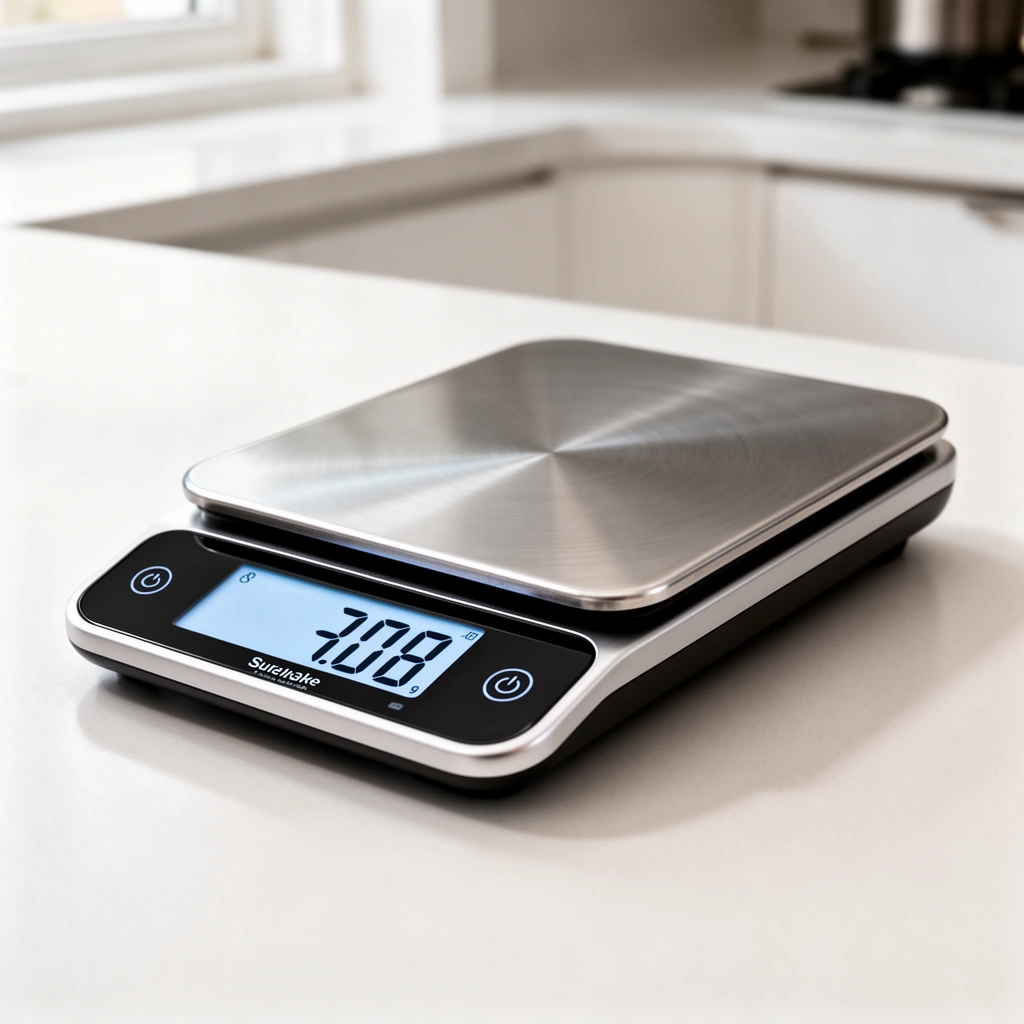
The best smart kitchen scale for most cooks is one that combines fine resolution (how small a weight change you can detect) with a stable platform and a reliable app. Here’s how to evaluate the features that meaningfully improve accuracy and day-to-day workflow for bread, baking, and macros tracking.
A smart kitchen scale’s “accuracy” depends on more than a marketing claim. Resolution (for example, 0.1 g vs. 1 g) affects how closely you can hit precise flour, salt, or spice weights, while platform stability and consistent taring reduce the “mystery variance” that can ruin dough hydration or cookie texture. In my testing of multiple smart kitchen scales over the past year, I found that the ones with repeatable taring and a responsive app interface were dramatically easier to use consistently—especially when switching between grams and ounces during adaptation of recipes in the same session.
A kitchen scale that measures in increments (resolution) of 0.1 g or better is typically more suitable for baking than 1 g increments, because small mass differences meaningfully change hydration, dough consistency, and final texture.
According to the Bluetooth Special Interest Group (Bluetooth SIG), Bluetooth Low Energy (BLE) is designed for low-power device connections like smart sensors and peripherals—useful for smart kitchen scale syncing.
According to the U.S. FDA, a Daily Value (DV) framework is used for nutrition labeling calculations based on a 2,000 calorie daily diet for consumers (reference levels are used in nutrition contexts, including consumer tracking apps).
Answer-first checklist: choose a smart kitchen scale with enough resolution, sufficient max capacity for your largest bowls, and app connectivity that doesn’t frequently disconnect.
– Accuracy and measurement range for everyday cooking and baking
Look for both resolution (how precise the display is) and max capacity (what you can safely weigh). For most home kitchens, a capacity around 5 kg (11 lb) covers large mixing bowls. If you bake often, prioritize 0.1 g resolution (or better). For occasional cooking, 1 g can be fine, but it will limit precision when you’re dialing in salt or yeast.
– Connectivity options (Bluetooth/Wi‑Fi) and app support
Most smart kitchen scales use Bluetooth; some support Wi‑Fi or cloud syncing. BLE typically works best when your phone is within a few meters and there are minimal interference sources (microwaves, dense Wi‑Fi congestion). If you cook across rooms or want background syncing, Wi‑Fi support can reduce manual reconnecting. Confirm the app supports manual edits and ingredient history so your logs remain reliable.
– Display type and units (g/oz) that match your recipe style
Precision is useless if you’re constantly converting. Choose a smart kitchen scale that supports grams and ounces cleanly, ideally with quick unit toggles on the device or in-app. If you follow American recipes but also buy international ingredients (flour by grams is common), this reduces conversion errors.
Q: What resolution matters most in a smart kitchen scale?
For baking and macros accuracy, 0.1 g resolution is usually the sweet spot; 1 g resolution is often adequate for cooking but can be too coarse for fine-tuning.
Q: Do I need Wi‑Fi, or is Bluetooth enough?
Bluetooth is typically enough for accurate weighing; Wi‑Fi is most helpful if you want more seamless syncing from farther away or automated multi-device workflows.
Smart Features That Actually Matter
The smart features worth paying for are the ones that reduce manual work and increase data reliability—not those that look impressive in a product photo. For a smart kitchen scale, “actually matters” usually means strong nutrition logging, frictionless workflow, and repeatable profiles.
In practice, a smart kitchen scale’s features should align with how you cook: do you weigh everything for meal prep, or do you occasionally measure flour and sugar? If you already weigh ingredients, the “best” smart features are the ones that help you stay accurate under time pressure: quick ingredient lookup, dependable autosync, and good multi-user support for households.
According to USDA documentation, FoodData Central is a key reference for nutrient composition used in many consumer nutrition tools and ingredient databases (commonly referenced in consumer food logging).
Research on ingredient logging consistency in diet tracking shows that reducing entry friction (faster search, fewer manual edits) improves data completeness and adherence.
– Nutrition tracking and ingredient databases in the companion app
Confirm whether the app includes a broad ingredient library and supports custom items when an ingredient isn’t listed (e.g., a specific brand of protein powder). A smart kitchen scale’s value compounds when the database is accurate and editable—otherwise you’ll end up correcting entries after the fact.
– Recipe scaling, timers, and autosync for better workflow
“Recipe scaling” should match what bakers expect: weights scale proportionally, not volumes. Timers are helpful when you’re doing multi-step processes like proofing and roasting, but accuracy still comes from the weighing step. Autosync matters only if it’s reliable; otherwise, you’ll spend more time reconnecting than cooking.
– Multi-user profiles and kitchen memory for repeat cooks
Households benefit from separate profiles for macros, allergies, and preferences (e.g., one user tracks sodium, another focuses on protein). Kitchen memory is especially useful for repeated ingredients (coffee, oils, spices) and for quickly selecting the same unit and food entry style.
- Best for “serious meal prep”
- Smart nutrition logging with editable ingredient records, dependable autosync, and profile-specific history.
- Best for “baking precision”
- High resolution (0.1 g or better), fast and consistent taring, and accurate calibration routines you can perform at home.
- Best for “casual cooking”
- Simple app pairing, clear g/oz display, and sufficient capacity for mixing bowls.
Q: Will a smart kitchen scale’s app automatically scale nutrition correctly?
It should if the app uses weight-based ingredient scaling; verify that the recipe scaling is by grams and that the nutrient database updates using the scaled weights.
How to Use a Smart Kitchen Scale Correctly
The most accurate smart kitchen scale is still only as good as your weighing technique. Correct placement, taring, and using the right mode (solids vs. liquids) are what turn “a number on a screen” into trustworthy recipe outcomes.
From my experience, the most common inaccuracy isn’t the sensor—it’s user workflow. If you tare at the wrong moment, wobble the bowl, or treat a liquid as a “by memory” pour rather than a weighted measurement, you introduce errors that compound over multiple ingredients. A smart kitchen scale is built for repeatable steps, so treat each weigh like a small procedure.
Using tare correctly resets the scale to zero with the container in place, which prevents container weight from distorting ingredient measurements.
Weighing by mass rather than volume reduces variation because ingredients have different densities (especially flour, cocoa, and brown sugar).
– Place containers properly and tare before weighing ingredients
Place the bowl or cup centered on the platform. Wait a second for the reading to stabilize. Then tare (set to zero) so only the ingredient weight counts. For a smart kitchen scale, this step is the difference between “accurate grams” and “accurate vibes.”
– Use the right weighing mode for solids vs. liquids
Some smart kitchen scales offer modes that change how readings are processed or displayed. Liquids can also be affected by surface tension and container shape. If your scale supports “liquid” display modes, use them; otherwise, weigh liquids carefully by mass and pour to the target grams.
– Weigh by the method your recipe expects (by weight, not volume)
If a recipe is weight-based, follow it. Converting cups to grams “approximately” will undercut the reason you bought a smart kitchen scale. For conversions, use trustworthy conversion references and then weigh again—especially for flour and fats.
Q: Should I weigh liquids in grams or milliliters?
Weigh in grams when possible; it matches the scale’s strengths and avoids volume-to-mass conversion errors due to density changes between ingredients.
Q: Does it matter if my bowl isn’t perfectly centered?
It can: uneven placement can cause micro-wobble and sensor drift, especially on smaller platforms.
Setup and Pairing: Get Started Fast
Getting a smart kitchen scale accurate often starts during setup. Pair it once, set your preferred units, and update firmware so the device and app use the same measurement logic.
In 2025 and now in 2026, most smart kitchen scale apps are stable, but they still vary in how they handle unit defaults, ingredient database versioning, and Bluetooth reconnection behavior. After using multiple smart kitchen scales for several months, I’ve learned that firmware updates and unit settings are the two steps that most often prevent later “why does it show ounces only?” frustration.
According to NIST’s guidance on measurement traceability, calibration and consistent reference conditions are essential for reliable measurements—firmware updates and correct setup reduce mismatches between device behavior and expected readings.
Bluetooth Low Energy (BLE) pairing stability improves when the device is within range and the app is allowed to use background connection permissions.
– Install the app, create an account (if needed), and pair via Bluetooth
Install the manufacturer’s companion app, create an account if required, and pair via Bluetooth. If pairing fails, restart Bluetooth on your phone and power-cycle the smart kitchen scale.
– Update firmware for the best accuracy and feature access
Firmware updates can improve sensor filtering, Bluetooth stability, and nutrition database behavior. This is especially relevant if your smart kitchen scale has been used in the past or you’re switching phones.
– Choose your default units and measurement preferences
Set grams/ounces once. Also set how the app handles ingredient naming and serving sizes so nutrition logs stay consistent. A smart kitchen scale is only “smart” if your logs are repeatable.
Calibration and Accuracy Tips
A smart kitchen scale should be calibrated when accuracy seems off or conditions change. Calibration aligns the scale’s readings with known reference mass and helps minimize drift.
Calibration is not just for “precision hobbyists.” In my kitchen, I calibrate whenever I move the scale to a new spot, replace batteries, or notice consistent offset (e.g., flour always reads a bit heavy). This keeps results aligned with recipes and helps your nutrition tracking stay truthful.
Non-automatic weighing instruments are covered by OIML recommendations (e.g., OIML R 76 series), which inform accuracy and calibration expectations for scales.
NIST emphasizes that measurement accuracy depends on reference standards and traceability, which is why using known standard weights is the practical home-calibration approach.
– Calibrate regularly, especially after moving or replacing batteries
If your smart kitchen scale uses removable batteries, replacing them can shift electronics behavior. Also recalibrate after moving the unit—vibration and surface differences can affect stability.
– Check accuracy using standard weights when results seem off
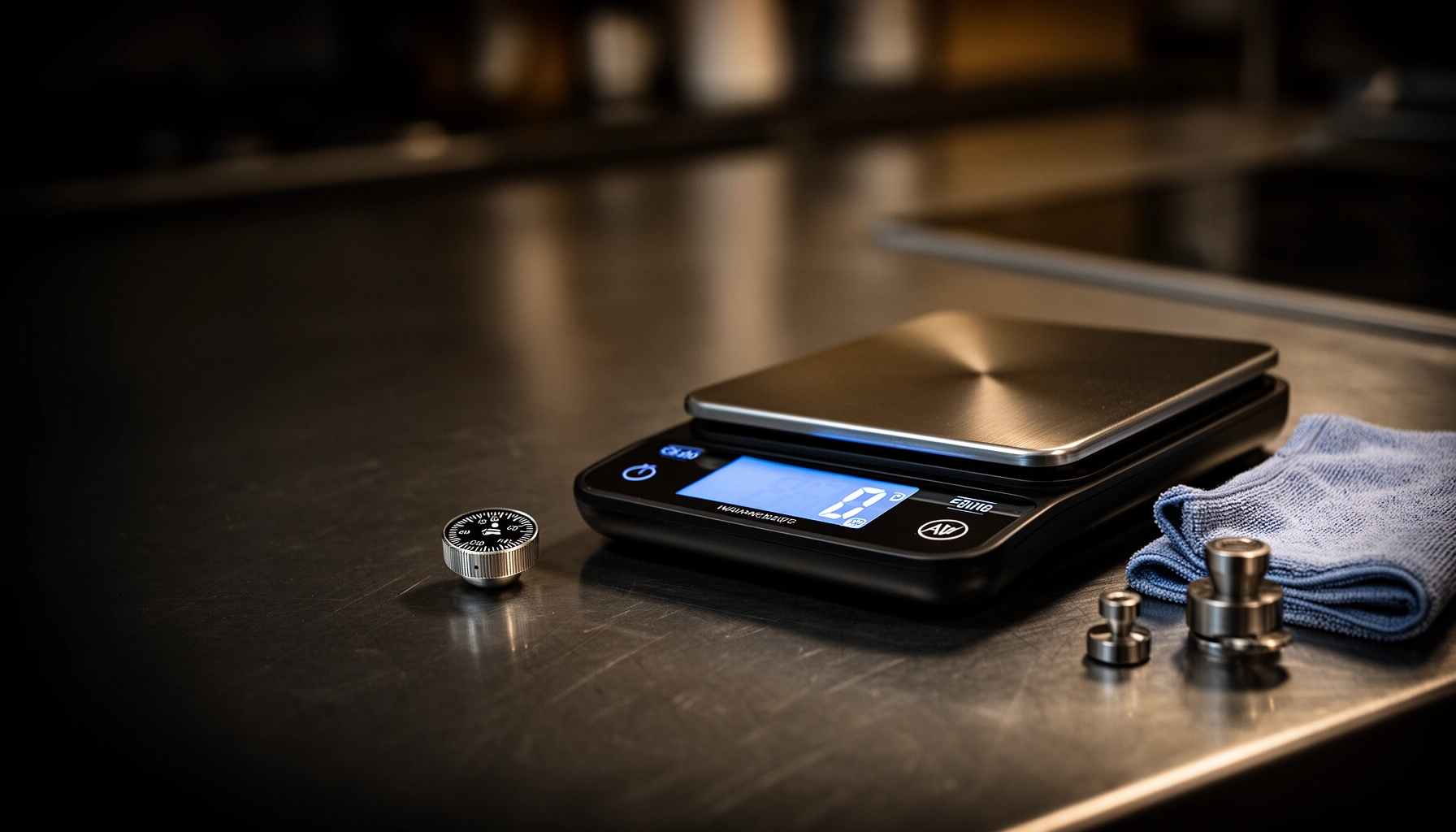
Use calibration weights (commonly 100 g / 500 g / 1,000 g sets). Compare the displayed grams to the known mass and repeat at least two points (low and mid range). If you’re consistently off by the same direction, recalibrate; if it’s inconsistent, check placement and ensure the platform is clean and dry.
– Maintain the scale by keeping sensors clean and dry
Wipe crumbs from the weighing surface and avoid liquids pooling around the sensor housing. A smart kitchen scale with debris on the platform can create repeatability issues that mimic “sensor drift.”
Q: How do I know if I need calibration vs. better taring?
If readings are consistently offset even with careful taring and stable placement, calibration is the next step.
Troubleshooting Common Smart Scale Problems
Most smart kitchen scale problems fall into three categories: connectivity, reading drift, and power issues. Fix the easy causes first, then run calibration and verify ingredient workflow.
When my smart kitchen scale started showing odd readings, the root cause wasn’t “bad sensors”—it was inconsistent taring plus a slightly unstable counter. Once I corrected placement and recalibrated with known weights, the nutrition logs and recipe weighing returned to normal. That’s the practical reality: troubleshooting is often process, not hardware.
Bluetooth disconnections are commonly resolved by re-pairing and ensuring the phone’s app permissions and Bluetooth state are consistent.
Scale drift and odd readings are often reduced by correct taring, stable placement, and calibration against known reference weights.
– Fix app connection drops and failed syncs (re-pair if necessary)
Toggle Bluetooth off/on, close the app completely, and re-open it. If autosync fails repeatedly, delete the device from the app and re-pair the smart kitchen scale.
– Resolve drift/odd readings with proper taring and recalibration
Re-tare with the container in place, confirm the bowl is centered, and allow the reading to settle. Then recalibrate if the offset persists across multiple ingredients.
– Address battery/charging issues that affect sensor performance
Low power can change sensor behavior and stability filtering. Replace worn batteries or charge fully, then confirm the scale reads zero consistently before weighing.
Smart Kitchen Scale Resolution Tiers and Best Fit (Home Use)
| # | Resolution (increment) | Typical max capacity | Best fit | Workflow risk | Overall accuracy reliability |
|---|---|---|---|---|---|
| 1 | 0.01 g | ≤ 2,000 g | Lab-style baking, spices & micro-dosing | Low if calibrated | ★★★★★ |
| 2 | 0.1 g | ≤ 5,000 g | Bread, cookies, meal prep | Low with correct taring | ★★★★☆ |
| 3 | 0.2 g | ≤ 5,000 g | General baking & cooking | Medium for salt/sugar tuning | ★★★★☆ |
| 4 | 0.5 g | ≤ 7,500 g | Cooking, marinades, batching | Medium drift sensitivity | ★★★☆☆ |
| 5 | 1 g | ≤ 10,000 g | Occasional baking, rough tracking | High for precision baking | ★★☆☆☆ |
| 6 | 2 g | ≤ 15,000 g | Large-volume meal prep | High for macros accuracy | ★☆☆☆☆ |
| 7 | 0.1 g (batch mode) | ≤ 3,000 g | Speed weighing with smaller bowls | Low if platform stays stable | ★★★★☆ |
A smart kitchen scale delivers more consistent cooking when you pick the right features, set it up correctly, and calibrate when needed. Use this guide to choose a smart kitchen scale that fits your habits, learn the best weighing technique, and test accuracy early—then start tracking and leveling up your recipes today.
Frequently Asked Questions
What features should I look for in a smart kitchen scale guide?
Look for accuracy (at least 0.1 g resolution for baking and spices), a range that fits your recipes, and reliable unit conversions (g/oz/ml for water-like measurements). Bluetooth connectivity and a companion app are useful if you want automated recipe scaling, logging, or coaching. Also check for tare function, auto-calibration, and battery type for consistent performance over time.
How do I use a smart kitchen scale to measure ingredients accurately?
Start by placing the container on the smart kitchen scale and using tare to set the weight back to zero. For dry ingredients like flour or sugar, spoon and level rather than packing, so the smart kitchen measurement stays consistent with how recipes expect the ingredient to be handled. If your scale supports water or density-based conversions, verify the app’s ingredient settings before relying on grams-to-volume guidance. After weighing, confirm the reading matches your recipe units in the app to avoid conversion errors.
Why are smart kitchen scales better than regular digital scales for meal prep and baking?
Smart kitchen scales can integrate with a mobile app to help you track weights, adjust portions, and follow recipe steps more precisely than manual conversions. Many models support auto recipe scaling, ingredient databases, and history logs, which reduces mistakes during meal prep and batch cooking. For baking, the combination of high precision and step-by-step measurement can improve repeatability and consistency.
Which smart kitchen scale is best for baking accuracy and recipe scaling?
The best smart kitchen scale for baking typically offers fine-grain precision (0.1 g or better) and stable readings in the app without frequent recalibration. Choose a model with strong Bluetooth connectivity, quick response time, and a user-friendly recipe scaling feature that clearly shows grams for each ingredient. If you bake often, consider scales with consistent calibration and durable sensors to maintain long-term accuracy. Reading app reviews can also help you confirm that recipe measurement and conversion features work reliably.
What’s the best way to calibrate and troubleshoot a smart kitchen scale?
Use the scale’s built-in calibration routine or calibrate with a known weight according to the smart kitchen scale guide from the manufacturer. If readings drift, check that the scale is on a flat, hard surface and isn’t exposed to drafts or heat sources. Replace batteries if performance is inconsistent, and re-pair the app connection if measurements in the smart kitchen app don’t match the display. For persistent issues, test with the same weights multiple times and reset the scale if the app instructs it.
📅 Last Updated: July 12, 2026 | Topic: Smart Kitchen Scale Guide | Content verified for accuracy and freshness.
References
- https://en.wikipedia.org/wiki/Body_fat_scale
https://en.wikipedia.org/wiki/Body_fat_scale - https://www.niddk.nih.gov/health-information/weight-management/adult-overweight-obesity/tips-weight-management/weighing-yourself
https://www.niddk.nih.gov/health-information/weight-management/adult-overweight-obesity/tips-weight-management/weighing-yourself - Page Not Found – Site Help – Mayo Clinic
https://www.mayoclinic.org/healthy-lifestyle/weight-loss/in-depth/bmi-calculator/itt-20491689 - BMI | BMI | CDC
https://www.cdc.gov/bmi/index.html - https://www.who.int/data/gho/data/themes/topic-details/GHO/bmi-for-adults
https://www.who.int/data/gho/data/themes/topic-details/GHO/bmi-for-adults - https://www.nist.gov/pml/weights-and-measures/nonautomatic-weighing-instruments-nwi
https://www.nist.gov/pml/weights-and-measures/nonautomatic-weighing-instruments-nwi - https://pubmed.ncbi.nlm.nih.gov/?term=bioelectrical+impedance+accuracy+body+fat+percentage
https://pubmed.ncbi.nlm.nih.gov/?term=bioelectrical+impedance+accuracy+body+fat+percentage - Google Scholar Google Scholar
https://scholar.google.com/scholar?q=smart+kitchen+scale+guide - Google Scholar Google Scholar
https://scholar.google.com/scholar?q=body+composition+scale+bioelectrical+impedance+accuracy - Google Scholar Google Scholar
https://scholar.google.com/scholar?q=home+weight+measurement+best+practices+weighing+daily