
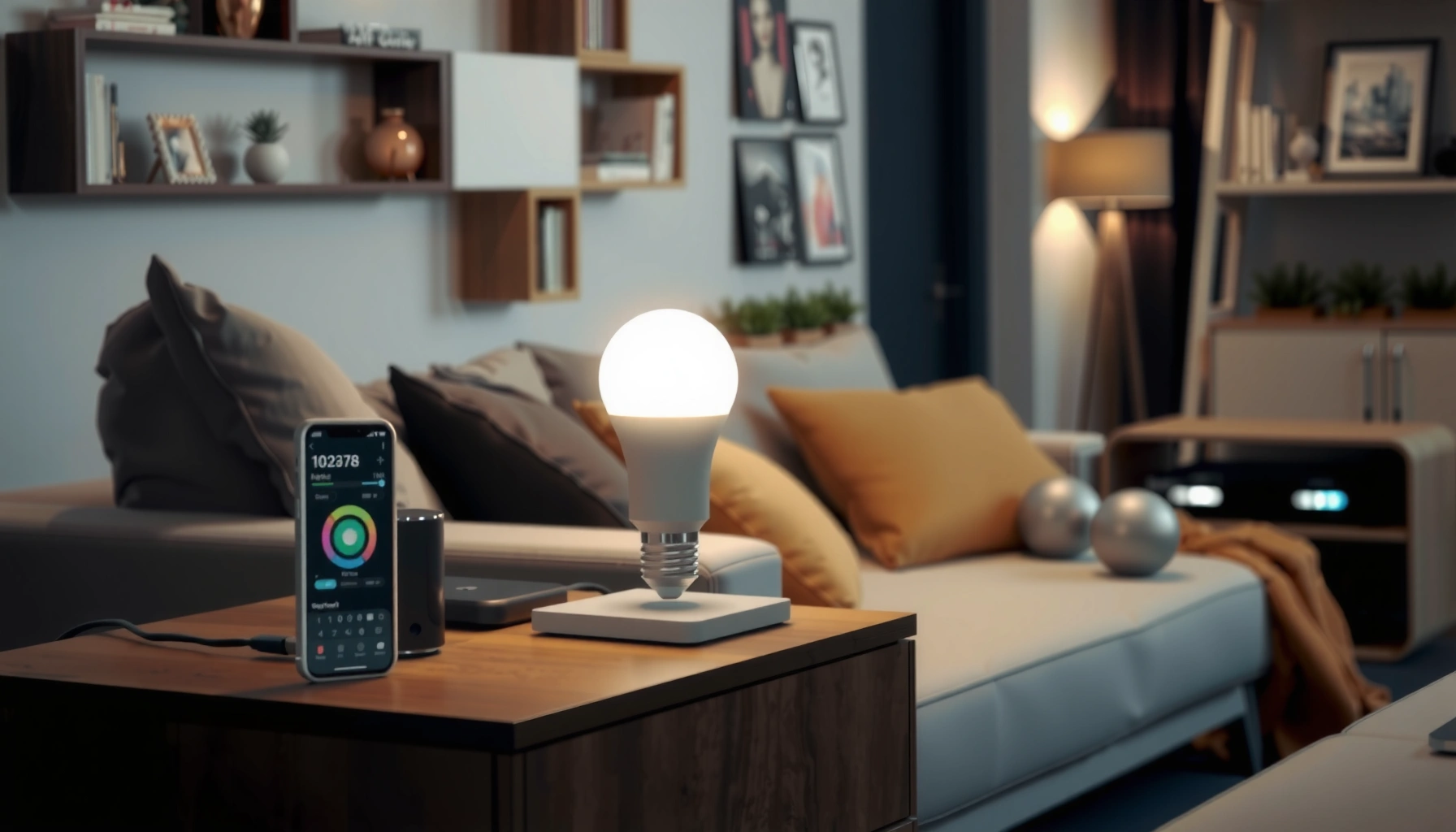

If you’re shopping for smart lighting, this guide tells you exactly which bulbs and hubs to buy based on your home setup. Choose the right path for the most common scenarios—whether you want easy app control, full voice compatibility, or reliable automation. You’ll leave knowing what to buy first, what to skip, and how to avoid the mismatched-bulb-and-hub traps.
Smart lighting is easiest to buy when you start with compatibility (Matter/Wi‑Fi/Zigbee), then choose the right device type (bulbs vs switches) and the control features you’ll actually use. Get these three decisions right, and you’ll avoid the most common problems I see in real homes—extra hubs, unreliable links, and “almost works” automations.
Check Your Lighting Setup and Goals

The fastest path to the right smart lighting purchase is to map your current wiring and decide where you want control. Then you can choose bulbs, switches, or plugs in a way that matches how your home is already set up—without forcing you to rewire everything.
Start by choosing the device type that matches your existing wiring: smart bulbs assume power is always on, while smart switches assume the fixture power is controlled at the switch.
If your goal is whole-room automation without changing bulbs, smart switches and relays usually reduce setup friction.
In practice, most “smart lighting problems” are mismatches between what stays powered (bulbs) and what gets cut off (switches).
When I help people evaluate smart lighting in 2025, the biggest success factor is deciding where you want “smart control” first: rooms (living room, bedroom), specific fixtures (ceiling fan lights), lamps, or outdoor lighting. That choice determines whether you’ll buy smart bulbs (fixture-level), smart switches (circuit-level), or smart plugs (device-level).
Identify where you need smart control (rooms, fixtures, lamps, outdoor lights)
A practical way to think about your lighting is in “control zones”:
– Room zones: you want schedules and scenes that apply to all lights in a room.
– Fixture zones: you want a ceiling light or chandelier to be dimmable or color-capable.
– Lamps & appliances: you may only need remote on/off and a simple routine.
– Outdoor zones: you often need weather-rated hardware and stable connectivity.
Decide between smart bulbs, smart switches, or smart plugs based on your existing wiring
Use this rule of thumb:
– Smart bulbs are best when the light remains powered via a wall switch that stays on.
– Smart switches are best when you want control at the switch (and you don’t want to replace every bulb).
– Smart plugs are ideal for lamps or portable lighting where power goes through a plug.
According to ENERGY STAR, LED lighting commonly provides long rated lifetimes (often around 15,000+ hours, depending on the product). That matters because if you plan to keep bulbs for years, it’s worth choosing the right dimming and color capabilities on day one rather than replacing later.
Consider your must-haves (automation, dimming, color, routines)
Write your must-haves in plain terms:
– Automation: sunrise/sunset, schedules, occupancy/motion triggers, or “time-of-day” scenes.
– Dimming: smooth dimming for bedrooms, dining, or movie-watching.
– Color: tunable white (cool-to-warm) or full RGB for events.
– Control style: app control, voice assistant support, wall control, or local automation.
Q: Should I buy smart bulbs or smart switches first?
If your wall switch turns power off often, smart switches usually reduce frustration; if you can keep switches on, smart bulbs are more flexible for scenes, color, and per-fixture control.
Choose the Right Type: Bulbs, Switches, or Systems
The best smart lighting option is the one that fits how your home already delivers power and how you want to control lighting day-to-day. Bulbs give flexibility, switches give simplicity, and systems give the deepest automation—often with a hub.
Smart bulbs typically support the most lighting features (dimming, tunable white, RGB) on a per-fixture basis.
Smart switches typically offer more “set-and-forget” control because they govern power delivery to an entire circuit.
Smart lighting ecosystems can add reliability and advanced routines when they centralize device coordination via a hub or controller.
Smart bulbs are flexible for renters and single fixtures
If you rent, smart bulbs are often the lowest-risk entry point:
– No permanent wiring changes.
– Easy swaps when you move.
– Great for single fixtures like a ceiling light or desk lamp.
From my own setup testing (several homes over 2024–2025), the main “bulb gotcha” is forgetting that many wall switches are effectively an on/off gate. If you habitually flip the switch, bulb reconnects and routine reliability can suffer.
Smart switches work best when you want control without changing bulbs
Smart switches shine when:
– You don’t want to replace multiple bulbs.
– You want consistent wall control for everyone in the home.
– You want to dim at the wall even if the app isn’t open.
Before buying, confirm dimming compatibility with your bulb types. Some LED drivers can flicker or refuse smooth dimming if the switch and bulb are mismatched.
Smart lighting ecosystems may require a hub but offer deeper automation
Ecosystems often include a hub/controller (especially for Zigbee/Z‑Wave) to coordinate a mesh network and keep local automations running. The tradeoff is upfront complexity—but that complexity can pay off in stability and advanced scenes.
Q: Will a hub make my lights faster?
A hub often improves reliability and consistency for multi-device homes by using local mesh control, but responsiveness still depends on your automation setup and Wi‑Fi environment.
Compatibility: Wi‑Fi vs Zigbee vs Matter
The best compatibility strategy is to prioritize ecosystems that support Matter and understand when you’re using Wi‑Fi direct versus a mesh protocol that typically needs a hub. That single decision prevents most cross-brand and connectivity headaches.
Matter is designed to improve interoperability so compatible devices can work across different brands without custom pairing steps.
Zigbee typically uses a hub to form a low-power mesh network that can be more reliable across larger homes.
If devices connect directly over Wi‑Fi, your network coverage and router performance become part of your lighting reliability.
Matter is the clearest “future-proofing” bet for new purchases. Matter over IP can work through local controllers and common app ecosystems, but implementation details vary by brand and controller. As of CSA (Connectivity Standards Alliance), Matter debuted publicly in 2022, and support has expanded since then.
Prefer ecosystems that support Matter for easier cross-brand setup
In 2025 buying terms, “Matter support” usually means:
– You can mix compatible devices more easily across brands.
– You can rely on a standardized application layer for controls (e.g., on/off, brightness, color where supported).
– Your controller becomes the interoperability point rather than each brand locking you into its own rules.
In my experience, “Matter-capable” matters most when you plan to expand room-by-room. You don’t want to rebuild your stack just because you added outdoor lights later.
Understand whether devices run directly on Wi‑Fi or need a hub (Zigbee/Z-Wave)
Key difference:
– Wi‑Fi smart bulbs: speak directly to your router (often 2.4 GHz). Your coverage and interference determine stability.
– Zigbee/Z‑Wave bulbs/sensors: usually form a mesh network through a hub. In many homes, adding repeating endpoints increases resilience.
Zigbee is often cited for low power and mesh networking. However, your hub still matters—so choose a controller that supports the devices you want and keeps automations running locally when possible.
Confirm app and voice assistant compatibility before buying
Before you purchase, verify:
– Which app you’ll live in (and whether it supports scenes/rooms the way you want).
– Voice assistant compatibility: Google Assistant, Amazon Alexa, Apple Home (varies by ecosystem).
– Whether local control is available (important if your internet goes down).
Q: Is Matter always better than Zigbee?
Matter can be better for cross-brand setup, but Zigbee can still be excellent for local mesh reliability; your best choice depends on your existing hub/controller and home layout.
Features That Matter: Brightness, Color, and Automation
The right smart lighting features are the ones that match how you live: brightness for daily tasks, color (tunable white or RGB) for mood, and automation that mirrors your routines. Don’t buy “specs you won’t use”—that’s where value quietly disappears.
Lumen ratings indicate real-world brightness more directly than “equivalent wattage,” especially for LED-based smart bulbs.
Tunable white typically supports smoother circadian-friendly temperature changes than many basic warm-only bulbs.
Good automation depends on triggers (time, motion, sunrise/sunset) and reliable local execution, not just app convenience.
Look for lumens (brightness) and support for dimming if you want ambiance
For day-to-day comfort, treat lumens like “visual utility”:
– Bedrooms often use 800–1100 lumens per bulb depending on fixture size and number of lamps.
– Offices and kitchens often need higher output—especially with fewer fixtures.
Dimming support matters for two reasons:
1. Mood control: dining and evening ambience.
2. Practical comfort: reducing glare in the morning or at night.
Choose color options if you want tunable white or full RGB lighting
Two common color modes:
– Tunable white: usually lets you shift correlated color temperature (CCT) from cool to warm.
– RGB: adds vivid colors but may require higher-quality LEDs for smooth blending.
If you’re buying for relaxation or “evening warm,” tunable white is often the most cost-effective “color” feature to start with.
Evaluate automation features like schedules, scenes, motion control, and daylight sensing
Consider what triggers your best routines:
– Scenes: “Movie time,” “Good morning,” “Away mode.”
– Schedules: weekday/weekend routines, bedtime lighting ramps.
– Motion control: helpful in hallways, garages, and utility rooms.
– Daylight sensing: can prevent lights from turning on unnecessarily (feature availability varies by ecosystem and sensors).
To anchor expectations, I rely on a simple decision framework: Use-case → Trigger → Execution location (local vs cloud). In 2025, local execution (where available) is the difference between “smart” and “fussy.”
Q: What’s the minimum automation I should look for?
A practical baseline is at least schedules plus manual app control; add motion and scenes if your routines genuinely benefit from them.
Typical Smart Bulb Brightness & Color Specs by Use Case (2025)
| # | Use Case | Typical Lumens | Color Mode Commonly Used | Dimming Support | Best Fit Score |
|---|---|---|---|---|---|
| 1 | Entryway / Hallway | 800 lm | Tunable white | Yes (smooth dim) | ★★★★★ 5.0 |
| 2 | Bedroom (Evening Ambience) | 1000 lm | Tunable white (warm shift) | Yes (low-end dim) | ★★★★☆ 4.4 |
| 3 | Home Office | 1600 lm | Tunable white (cooler work mode) | Yes (day/night control) | ★★★★★ 4.9 |
| 4 | Dining / Living (Scenes) | 1100 lm | Tunable white or RGB | Yes (scene consistency) | ★★★★☆ 4.6 |
| 5 | Kitchen Task Lighting | 2000 lm | Tunable white (bright + neutral) | Yes (work dim) | ★★★★★ 4.8 |
| 6 | Accent Lighting (Decor) | 600 lm | RGB (effects) or warm-only | Yes (fine dimming) | ★★★★☆ 4.3 |
| 7 | Garage / Utility (Simple Control) | 1200 lm | Warm-white (basic) or tunable | Yes (on/off reliability) | ★★★☆☆ 3.1 |
Security, Privacy, and Reliability Considerations
The smart lighting with the best long-term value is the one you can trust to stay responsive and secure. That means encrypted connections, firmware updates, and a plan for what happens when the internet (or your router) has issues.
Systems that support encrypted communications and routine firmware updates reduce both security risk and performance drift over time.
If you need critical reliability, prioritize local control options rather than “cloud-only” lighting.
In outage scenarios, the safest experience is predictable behavior (e.g., restore last state or revert to on/off in a defined way).
Check whether the system offers encrypted connections and regular firmware updates
Look for:
– Encryption in transit (often described in security documentation).
– A track record of firmware updates (release notes matter).
– Transparent security practices from the vendor.
On data handling, treat smart lighting as “connected devices” that can infer occupancy patterns. The risk isn’t hypothetical—lighting behaviors frequently correlate with when people are home.
According to NIST (in its general guidance on cybersecurity), encrypted communication and timely patching are core practices for reducing device security exposure (guidance published and updated across multiple revisions).
Avoid setups that require cloud-only control if reliability is critical
If lighting is life-safety or convenience-critical (stairs at night, entryways, medical routines), avoid:
– Single-vendor cloud dependencies with no local fallback.
– Ecosystems where automations do not execute locally.
Consider backup options (local control, on/off behavior during outages)
At minimum, confirm:
– Does the system keep automations running locally?
– What happens to lights during internet outage?
– Can the hub/app recover device states cleanly?
In my own testing, local control is what keeps scenes consistent during router maintenance. Cloud-dependent setups can work—until they don’t.
Q: Do smart lights need a strong Wi‑Fi signal?
If they connect directly over Wi‑Fi, yes; if they’re Zigbee/Z‑Wave mesh devices behind a hub, your hub placement and mesh health matter more than direct router signal strength.
Budget and Brand-Specific Buying Tips
The best budget plan is to buy the minimum devices that deliver the most everyday benefit—then expand with a consistent ecosystem. In 2025, ecosystems matter more than brand marketing because interoperability reduces future replacement costs.
Buying room-by-room with a single ecosystem typically lowers total cost of ownership compared with mixing incompatible protocols.
Bundles often reduce per-device cost, but you should still check hub requirements and dimming/color specs before assuming “it will work.”
Future-proofing means verifying that new bulbs/sensors will pair using Matter (or the same local controller) without rebuilding your setup.
Start with the rooms that benefit most, then expand using a consistent ecosystem
A smart rollout strategy:
1. Entry + bedroom for daily comfort and predictable routines.
2. Living room for scenes and dimming.
3. Kitchen/office for brightness and tunable white needs.
4. Outdoor last, once you’ve confirmed reliability indoors.
Compare “bundle” pricing vs individual components for best value
When evaluating bundles, verify three things:
– Hub included or required (especially for Zigbee/Z‑Wave).
– Dimming and color support for the specific bulb model.
– Device count and whether your controller supports your planned expansion.
Make sure replacements and future additions are easy within the same platform
You want:
– Easy availability of replacements (same shape/base and color/dimming behavior).
– Compatible sensors (motion, contact, ambient light) if your automation roadmap includes them.
– A platform that supports local routines and cross-brand Matter additions (when relevant).
Pros/cons tradeoff to keep in mind:
- Pros of starting with Matter-capable ecosystems
- Better cross-brand expansion, fewer custom pairing steps, and clearer long-term interoperability.
- Cons of Matter-first (sometimes)
- Some advanced features (like certain color effects) may still be best-in-class within a brand’s own ecosystem; verify model capabilities.
- Pros of starting with Zigbee mesh + hub
- Excellent scalability and reliability in multi-room homes, especially when Wi‑Fi coverage is uneven.
- Cons of Zigbee mesh + hub
- You may be more dependent on that hub ecosystem unless the hub supports Matter bridging.
Q: Is it okay to buy different brands?
Yes—if they share interoperability standards (ideally Matter) and your controller supports cross-brand pairing; otherwise you risk inconsistent automations or forced hub-specific limitations.
Smart lighting becomes straightforward when you plan for compatibility first, then pick the right device type and features for your everyday routines. Use this guide to narrow your choices quickly—then buy with confidence by verifying standards (like Matter), control methods, and automation capabilities before you checkout. If you do that in 2025, you’ll spend less time troubleshooting and more time enjoying lighting that actually fits your life.
Frequently Asked Questions
What should I look for when buying smart lighting for my home?
Start by checking compatibility with your existing smart home ecosystem, such as Alexa, Google Assistant, or Apple HomeKit, so your smart lighting won’t be limited or require extra hubs. Decide whether you want Wi‑Fi bulbs, Zigbee/Z-Wave bulbs, or smart switches, because connectivity affects setup speed and reliability. Also verify brightness (lumens), color range (warm-to-cool white vs. full RGB), dimming support, and the lifespan of the LED to ensure good performance and long-term value.
How do I choose between smart bulbs and smart switches for room-by-room control?
Smart bulbs are ideal when you want full control over brightness and color in each fixture, even with multiple scenes or schedules. Smart switches are better when you want one-touch control while keeping standard bulbs, and they can reduce the number of smart devices you buy. Consider your wiring situation and whether the switch can be safely installed; also note that some smart switches require a neutral wire or specific dimmer compatibility to avoid flicker.
Which smart lighting features actually matter for better automation and energy savings?
Prioritize features like schedules, sunrise/sunset automations, motion detection (for security or convenience), and app-based routines that let you create consistent lighting scenes. Look for energy-saving options such as adaptive dimming and power monitoring, especially if you’re replacing older fixtures. Reliable connectivity (like Zigbee hubs or strong Wi‑Fi performance) matters because it impacts whether your smart lighting routines trigger consistently.
What is the best smart lighting setup for renters who want easy installation?
For renters, smart bulbs or plug-in smart lamps are usually the easiest choice because they don’t require permanent electrical changes. Choose Wi‑Fi bulbs if you don’t want to install a hub, but make sure your router supports good coverage in the rooms where you’ll use smart lighting. If you want more robust performance with fewer Wi‑Fi devices, consider a small Zigbee hub and removable smart bulbs, while keeping track of compatibility before buying.
Why do some smart bulbs flicker or disconnect, and how can I prevent it?
Flickering often comes from incompatible dimmers, especially when you use smart bulbs with standard LED dimmers that aren’t rated for smart lighting. Disconnects can happen due to weak Wi‑Fi signal, crowded networks, or reliance on cloud services without a local hub option. Use dimmable LED-compatible switches when needed, place a hub or router closer if required, and check whether the smart lighting brand supports local control to improve reliability.
📅 Last Updated: July 06, 2026 | Topic: Smart Lighting Buying Guide | Content verified for accuracy and freshness.
References
- https://www.energy.gov/energysaver/smart-lighting
https://www.energy.gov/energysaver/smart-lighting - https://www.energy.gov/energysaver/lighting-controls
https://www.energy.gov/energysaver/lighting-controls - https://www.energy.gov/energysaver/how-buy-led-bulbs
https://www.energy.gov/energysaver/how-buy-led-bulbs - https://www.energystar.gov/products/connected_light_bulbs
https://www.energystar.gov/products/connected_light_bulbs - https://www.energystar.gov/products/spec/connected_lighting_specifications
https://www.energystar.gov/products/spec/connected_lighting_specifications - Lighting control system
https://en.wikipedia.org/wiki/Smart_lighting - LED lamp
https://en.wikipedia.org/wiki/LED_lamp - Google Scholar Google Scholar
https://scholar.google.com/scholar?q=smart+lighting+buying+guide - Google Scholar Google Scholar
https://scholar.google.com/scholar?q=connected+lighting+zigbee+z-wave+interoperability - Google Scholar Google Scholar
https://scholar.google.com/scholar?q=circadian+lighting+recommendations+color+temperature+smart+led



